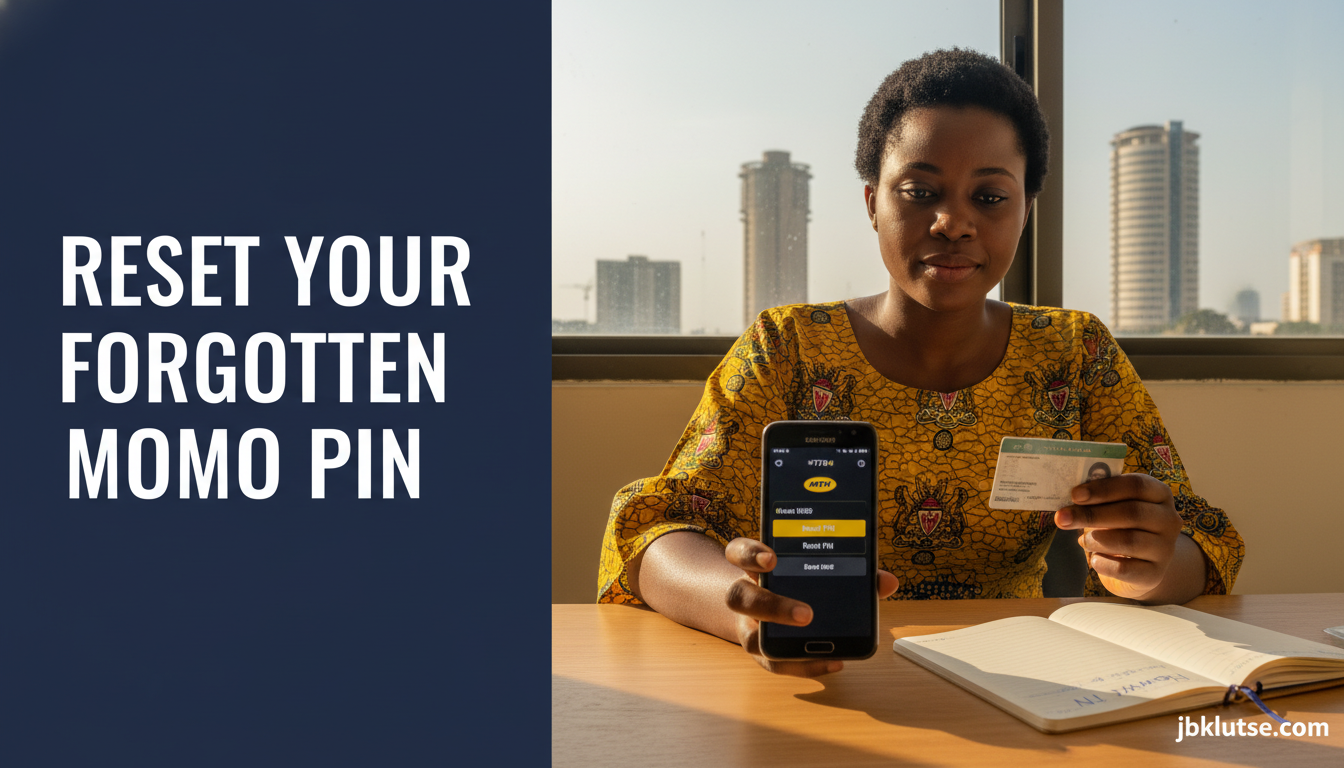
If you forgot your MoMo PIN in Ghana, you can reset it directly through your mobile network using USSD codes, mobile apps, or by visiting an authorized agent with your Ghana Card. MTN MoMo, Telecel Cash, and AirtelTigo Money all offer free PIN reset services that take 2 to 5 minutes, and you keep your registered number and wallet balance intact throughout the process.
Table of Contents
- TL;DR
- Why You Might Forget Your MoMo PIN
- How to Reset Your MTN MoMo PIN
- Method 1: USSD Reset (Fastest)
- Method 2: MyMTN App Reset
- Method 3: Agent-Assisted Reset
- How to Reset Your Telecel Cash PIN
- USSD Reset
- Telecel App Reset
- Service Centre Reset
- How to Reset Your AirtelTigo Money PIN
- USSD Reset
- Agent or Shop Reset
- What If You Don't Have Your Ghana Card?
- Ghana-Specific Considerations
- SIM Registration and NIA Integration
- Agent Fraud and PIN Security
- Cost and Timing
- Common Reset Errors and Fixes
- "Invalid ID Number"
- "OTP Not Received"
- "Reset Limit Exceeded"
- Security Tips After Resetting Your PIN
- When to Re-Register Instead of Resetting
- FAQs
- Related Reads
- Closing
- Sources
Losing access to your mobile money wallet locks you out of sending cash, paying bills, buying airtime, and shopping online. A forgotten PIN is one of the top five reasons Ghanaians visit telco service centres, but most resets can be done from home without queuing.
TL;DR
- Reset your MoMo PIN instantly via USSD: dial your network’s reset code, verify with your Ghana Card or ID number, and set a new 4-digit PIN.
- MTN MoMo users dial
*170#> My Wallet > Reset PIN. Telecel Cash users dial*110#> My Account > Reset PIN. AirtelTigo Money users dial*110#> My Profile > Reset PIN. - Agent-assisted resets require your Ghana Card, registered phone, and a one-time OTP sent to your number.
- Never share your new PIN with anyone, including agents or customer service staff who claim they need it to “verify” your account.
- The reset process is free on all three networks as of April 2026.
Why You Might Forget Your MoMo PIN
Most Ghanaians use mobile money daily, but PINs get forgotten when:
- You set it months ago during registration and rarely send money yourself (you mostly receive).
- You have multiple wallets (MTN, Telecel, AirtelTigo, bank apps) and mix up the 4-digit codes.
- You changed your PIN after a security alert but didn’t write it down.
- Someone else registered the line for you (a parent, sibling, or vendor) and never told you the original PIN.
Ghana’s Bank of Ghana reported 54.8 million registered mobile money accounts as of December 2025. With 33 million active users monthly, forgotten PINs affect thousands weekly.
How to Reset Your MTN MoMo PIN
MTN holds 94% of Ghana’s mobile money market. The network offers three reset methods.
Method 1: USSD Reset (Fastest)
- Dial
*170#from your MTN line. - Select option
6(My Wallet) or7(My Account), depending on your USSD menu version. - Select
Reset PINorForgot PIN. - Enter the last 6 digits of your Ghana Card number when prompted.
- Enter a new 4-digit PIN. Re-enter to confirm.
- You’ll receive an SMS confirming the PIN change within 30 seconds.
This method works only if you registered your MoMo wallet with your Ghana Card. If you used a Voter ID or NHIS card during registration, skip to Method 3.
Method 2: MyMTN App Reset
- Open the MyMTN app (download from Google Play or App Store if you don’t have it).
- Tap the MoMo icon on the home screen.
- Tap
Forgot PIN?below the PIN entry field. - Verify your identity using your Ghana Card number.
- Set your new PIN and confirm.
- The app logs you into your wallet immediately after reset.
The app method requires an active internet connection. If your data bundle is empty, switch to USSD.
Method 3: Agent-Assisted Reset
Visit any MTN MoMo merchant or agent with:
- Your registered MTN SIM card inserted in your phone.
- Your original Ghana Card (physical card, not a photo).
- Your phone unlocked so the agent can access your USSD menu.
The agent will:
- Dial
*170#on your phone. - Navigate to the reset menu.
- Input your Ghana Card details to generate an OTP.
- Hand your phone back to you to enter the OTP and set your new PIN privately.
Agents cannot see or set your PIN. If an agent asks for your new PIN “to complete the process,” refuse and report them to MTN via 100 (toll-free customer service).
Cost: Free. Agents do not charge for PIN resets, but may ask for a voluntary tip (GHS 1 to GHS 5 is common in Accra and Kumasi, April 2026).
How to Reset Your Telecel Cash PIN
Telecel Ghana (formerly Vodafone Cash) serves 3.5 million mobile money users as of March 2026.
USSD Reset
- Dial
*110#from your Telecel line. - Select
My Account. - Select
Reset PINorChange PIN(the menu wording varies by region). - Enter your Ghana Card number or Voter ID number.
- Receive an OTP via SMS within 15 seconds.
- Enter the OTP, then set your new 4-digit PIN.
Telecel App Reset
- Open the Telecel Cash app.
- Tap
Forgot PIN?on the login screen. - Verify with your Ghana Card or passport number.
- Create a new PIN and confirm.
Service Centre Reset
If USSD and app resets fail (often due to outdated registration data), visit any Telecel shop with your Ghana Card and phone. Staff will verify your identity using their internal system and issue a temporary PIN, which you must change immediately via USSD after leaving the shop.
How to Reset Your AirtelTigo Money PIN
AirtelTigo Money has the smallest wallet base (under 1 million active users in 2026) but the simplest reset process.
USSD Reset
- Dial
*110#from your AirtelTigo line. - Select
My ProfileorMy Account. - Select
Reset PIN. - Enter your national ID number (Ghana Card, Voter ID, or passport).
- Confirm your date of birth if prompted.
- Set and confirm your new 4-digit PIN.
AirtelTigo’s system accepts multiple ID types, so you’re less likely to hit a registration mismatch error.
Agent or Shop Reset
Visit any AirtelTigo shop with your ID. Staff will reset your PIN on the spot after verifying your details. The process takes 3 to 7 minutes.
What If You Don’t Have Your Ghana Card?
If you registered your MoMo wallet before Ghana Card became mandatory (pre-2020 for many users), your account may be linked to a Voter ID, NHIS card, or passport.
To reset without a Ghana Card:
- Try the USSD reset with your registered ID type. MTN and Telecel systems accept Voter ID, passport, and driver’s licence numbers.
- If USSD fails, visit a service centre with your original ID and phone. Staff will verify your identity manually and process the reset.
- If your registered ID is lost or expired, you must re-register your MoMo wallet. This requires visiting a head office in Accra, Kumasi, or Takoradi with two forms of ID and a witness (usually a family member or colleague who already has a MoMo account).
Re-registration preserves your phone number and wallet balance but may take 1 to 3 days for compliance checks.
Ghana-Specific Considerations
SIM Registration and NIA Integration
Ghana’s National Identification Authority (NIA) integrated Ghana Card numbers with telco databases in 2022. If you registered your SIM and MoMo wallet with your Ghana Card, resets are instant. If you used an older ID type, expect manual verification delays.
Agent Fraud and PIN Security
Between January and March 2026, Ghana’s Cyber Security Authority recorded 1,847 cases of MoMo fraud linked to agents who tricked users into revealing PINs during “resets.” Legitimate agents never need your PIN. They may dial the USSD code on your phone and input your ID number, but you must enter the OTP and new PIN yourself.
If an agent insists on knowing your new PIN, leave immediately and dial your network’s fraud hotline:
- MTN: 100 (toll-free)
- Telecel: 200 (toll-free)
- AirtelTigo: 150 (toll-free)
Cost and Timing
All three networks offer free PIN resets 24/7 via USSD. App resets are also free but require data (roughly 2MB per session). Agent-assisted resets at official shops are free, though some agents in informal kiosks may request a tip (GHS 2 to GHS 5 is standard in Accra and Takoradi, April 2026).
Peak service centre wait times: 20 to 45 minutes on Monday mornings and month-end (25th to 31st), when pensioners and salaried workers queue for cash-out services. Visit mid-week for faster service.
Common Reset Errors and Fixes
“Invalid ID Number”
Your Ghana Card or ID number doesn’t match the one on file. This happens if:
- You registered with a different ID type (e.g. Voter ID) but are now trying to reset with your Ghana Card.
- You made a typo during original registration.
Fix: Visit a service centre with your ID. Staff will update your records and process the reset manually.
“OTP Not Received”
Your phone’s message centre number is misconfigured, or you have an active SMS block.
Fix:
- Restart your phone.
- Dial
*135*8#(MTN),*205*8#(Telecel), or*150*8#(AirtelTigo) to check your message centre settings. - If the OTP still doesn’t arrive after 5 minutes, visit an agent or service centre.
“Reset Limit Exceeded”
You attempted more than 3 PIN resets in 24 hours. Networks block further attempts to prevent fraud.
Fix: Wait 24 hours and try again, or visit a service centre with your ID to lift the block immediately.
Security Tips After Resetting Your PIN
- Choose a unique PIN. Avoid 1234, 0000, your birth year, or your phone’s last four digits. These are the top five PINs used in Ghana and the first ones fraudsters try.
- Write it down offline. Store it in a notebook, not in your phone’s Notes app or a cloud document.
- Enable transaction alerts. All three networks send free SMS alerts for every MoMo transaction. If you receive an alert for a payment you didn’t make, dial your network’s fraud line immediately.
- Never share your PIN via SMS, call, or WhatsApp. Networks and agents will never ask for it. If someone claiming to be from “MTN fraud department” calls and asks for your PIN “to secure your account,” hang up and report the number to 100.
- Change your PIN every 3 to 6 months. This limits damage if your old PIN leaks through a skimming device or phishing scam.
For more on protecting your wallet, see our full guide on MoMo fraud protection.
When to Re-Register Instead of Resetting
Re-registration replaces your entire MoMo profile, not just your PIN. Consider it if:
- You’ve lost access to your registered Ghana Card or ID (it’s expired, stolen, or damaged beyond recognition).
- Your phone number was registered by someone else (a vendor, a parent, a sibling) and you don’t have the original ID they used.
- You suspect your wallet is compromised and want to start fresh with new security credentials.
Re-registration requires visiting a head office, not an agent. Bring your new Ghana Card, proof of address (utility bill or tenancy agreement), and a witness who already has a MoMo wallet. The process takes 1 to 3 business days for compliance checks, and your old wallet balance transfers to the new profile once approved.
Cost: Free at MTN and Telecel. AirtelTigo charges GHS 5 for re-registration as of April 2026.
FAQs
Can I reset my MoMo PIN if my phone is lost?
Yes, but you need your SIM card. If your phone is stolen, visit your network’s service centre with your Ghana Card and a replacement SIM. Staff will transfer your number to the new SIM, then process a PIN reset. Your wallet balance remains intact.
How long does a PIN reset take?
USSD resets take 30 seconds to 2 minutes. App resets take 1 to 3 minutes. Agent-assisted resets take 3 to 7 minutes. Service centre resets (if USSD fails) take 10 to 20 minutes plus queue time.
Will I lose my wallet balance if I reset my PIN?
No. Resetting your PIN does not touch your balance, transaction history, or linked bank accounts. You’re simply changing the 4-digit code that unlocks your wallet.
Can I reset my PIN without internet?
Yes. USSD resets work on 2G, 3G, 4G, and 5G networks without requiring data. If you have zero airtime and zero data, USSD still functions.
What if I forget my new PIN immediately after resetting?
You can reset again using the same USSD or app method, but networks limit you to 3 resets per 24 hours. After that, you must visit a service centre to lift the block.
Do MTN, Telecel, and AirtelTigo share reset methods?
The USSD codes differ, but the process is identical: dial the code, verify your ID, set a new PIN. If you have wallets on multiple networks, bookmark each network’s reset code in your phone’s contacts for quick access.
Can I reset someone else’s PIN if I have their Ghana Card?
No. The reset OTP is sent to the registered phone number. Without physical possession of that phone and SIM card, you cannot complete the reset. This is a key fraud prevention measure.
What if my Ghana Card number changed after re-registration with NIA?
Visit your network’s head office to update your MoMo profile with your new Ghana Card number. This is free and takes 10 to 15 minutes. You cannot complete a USSD reset until your records match.
Related Reads
- Zoom out: MoMo & Fintech , explore Ghana’s mobile money ecosystem, fintech apps, and digital payment trends.
- Topic hub: How to Use Mobile Money in Ghana: Every Guide You Need , master every MoMo function from registration to cross-border transfers.
- Related deep-dives:
- How to Register for MTN MoMo in Ghana , step-by-step setup for new users.
- How to Check MoMo Balance Without Internet , USSD codes for instant balance checks.
- How to Link MoMo to Your Bank Account , move funds between MoMo and your bank in seconds.
- How to Send Money Across Networks with MoMo , transfer from MTN to Telecel or AirtelTigo without fees.
Closing
Resetting a forgotten MoMo PIN is straightforward once you know your network’s USSD code and have your Ghana Card handy. With 54.8 million registered wallets and 33 million active users in Ghana, the need for fast, secure PIN recovery is higher than ever. The methods above work for 99% of reset scenarios, and all three networks continue to refine their self-service tools to cut down on service centre queues.
If you’re still locked out after following this guide, visit your network’s head office with your ID and phone. Staff will resolve registration mismatches or compliance blocks that USSD cannot handle.
Follow our updates on X at @jbklutsemedia.
Sources
- MTN Ghana MoMo official site
- Telecel Ghana Cash official page
- AirtelTigo Money official site
- Bank of Ghana mobile money statistics (December 2025)
- Ghana Cyber Security Authority fraud alerts (Q1 2026)
- National Identification Authority Ghana Card integration guidance