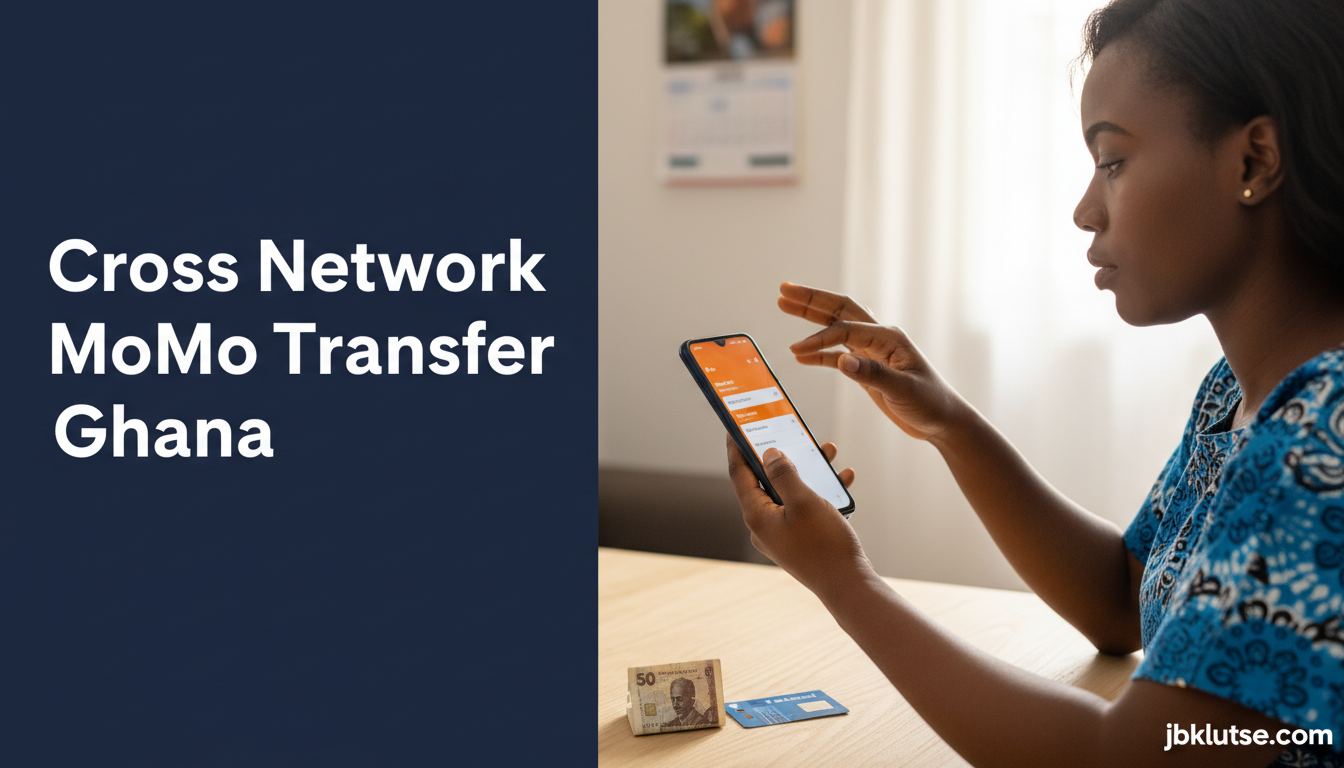
Cross network momo transfers let you send money from your MTN MoMo wallet to a Telecel Cash or AirtelTigo Money user without visiting an agent or bank. As of April 2026, all three major telcos in Ghana support direct cross-network transfers via USSD codes, charging between GHS 0.75 and GHS 3.50 (April 2026) depending on the amount you send. This guide shows you the exact steps, current fees, and common errors to avoid when moving money between networks.
Table of Contents
- TL;DR
- How Cross-Network MoMo Works
- Step-by-Step: MTN to Telecel or AirtelTigo
- Step-by-Step: Telecel Cash to MTN or AirtelTigo
- Step-by-Step: AirtelTigo Money to MTN or Telecel
- Transaction Limits
- Common Errors and How to Fix Them
- "Recipient number not registered for mobile money"
- "Transaction failed. Insufficient balance"
- "Invalid PIN"
- "Transaction declined by recipient network"
- "System busy. Try again later"
- Ghana-Specific Considerations
- Advanced: Using MoMo for Online Shopping
- FAQs
- Related Reads
- Closing
- Sources
Cross-network transfers solve the old headache of having to withdraw cash at an MTN agent, walk to a Telecel agent, and re-deposit just to send money to someone on a different network. The Bank of Ghana mandated full interoperability in 2018, and by 2022 all three networks had stable cross-network rails in production.
TL;DR
- MTN, Telecel, and AirtelTigo all support cross-network sends via USSD
- Fees range from GHS 0.75 (under GHS 50) to GHS 3.50 (over GHS 1,000) (April 2026)
- Recipient gets the money instantly in their wallet on their network
- You need the recipient’s correct phone number and their network must be active
- Daily transaction limits apply per network (GHS 2,000 to GHS 10,000)
How Cross-Network MoMo Works
When you send money from MTN MoMo to a Telecel Cash user, MTN debits your wallet, routes the transaction through the Ghana Interbank Payment and Settlement Systems (GhIPSS) switch, and credits the recipient’s Telecel wallet within seconds. The recipient does not need to do anything. The money appears as a standard MoMo credit notification on their phone.
All three telcos use the same GhIPSS infrastructure that powers bank-to-bank transfers in Ghana. The system runs 24/7, including weekends and public holidays. Transactions fail only if the recipient’s number is unregistered, if your wallet balance is insufficient, or if the network experiences a technical outage.
Step-by-Step: MTN to Telecel or AirtelTigo
If you have an MTN MoMo wallet and want to send money to a Telecel or AirtelTigo user:
- Dial
*170#from your MTN line - Select option
1(Send Money) - Select option
3(Other Networks) - Enter the recipient’s 10-digit phone number (starting with 024, 054, 055, 027, 057, or 026)
- Enter the amount in cedis (minimum GHS 1, maximum GHS 10,000 per transaction)
- Enter your MTN MoMo PIN
- Confirm the transaction details (recipient number, amount, fee)
- You receive an SMS confirmation. The recipient receives a credit notification on their network within 10 seconds.
Transaction fees (MTN, as of April 2026):
| Amount Sent | Fee |
|---|---|
| GHS 1 , GHS 50 | GHS 0.75 |
| GHS 51 , GHS 100 | GHS 1.00 |
| GHS 101 , GHS 250 | GHS 1.50 |
| GHS 251 , GHS 500 | GHS 2.00 |
| GHS 501 , GHS 1,000 | GHS 2.50 |
| GHS 1,001 , GHS 10,000 | GHS 3.50 |
Source: MTN Ghana MoMo tariff guide, published March 2026.
Step-by-Step: Telecel Cash to MTN or AirtelTigo
If you have a Telecel Cash wallet:
- Dial
*110#from your Telecel line - Select option
1(Send Money) - Select option
2(To Other Networks) - Enter the recipient’s phone number
- Enter the amount
- Enter your Telecel Cash PIN
- Confirm
- Both parties receive SMS confirmation
Transaction fees (Telecel, as of April 2026):
| Amount Sent | Fee |
|---|---|
| GHS 1 , GHS 50 | GHS 0.80 |
| GHS 51 , GHS 100 | GHS 1.10 |
| GHS 101 , GHS 250 | GHS 1.60 |
| GHS 251 , GHS 500 | GHS 2.10 |
| GHS 501 , GHS 1,000 | GHS 2.60 |
| GHS 1,001 , GHS 10,000 | GHS 3.60 |
Source: Telecel Ghana official website, accessed April 2026.
Step-by-Step: AirtelTigo Money to MTN or Telecel
If you have an AirtelTigo Money wallet:
- Dial
*110#from your AirtelTigo line - Select option
1(Send Money) - Select option
2(Other Mobile Money) - Enter the recipient’s phone number
- Enter the amount
- Enter your AirtelTigo Money PIN
- Confirm
- Both parties receive SMS confirmation
Transaction fees (AirtelTigo, as of April 2026):
| Amount Sent | Fee |
|---|---|
| GHS 1 , GHS 50 | GHS 0.75 |
| GHS 51 , GHS 100 | GHS 1.05 |
| GHS 101 , GHS 250 | GHS 1.55 |
| GHS 251 , GHS 500 | GHS 2.05 |
| GHS 501 , GHS 1,000 | GHS 2.55 |
| GHS 1,001 , GHS 10,000 | GHS 3.55 |
Source: AirtelTigo Ghana MoMo tariff card, March 2026.
Transaction Limits
Each network enforces daily and per-transaction limits on cross-network sends:
| Network | Max per transaction | Max per day | Max per month |
|---|---|---|---|
| MTN MoMo | GHS 10,000 | GHS 10,000 (unverified), GHS 100,000 (verified) | GHS 200,000 |
| Telecel Cash | GHS 10,000 | GHS 10,000 (unverified), GHS 100,000 (verified) | GHS 200,000 |
| AirtelTigo Money | GHS 10,000 | GHS 10,000 (unverified), GHS 50,000 (verified) | GHS 150,000 |
Verified accounts require Ghana Card registration. To verify your MTN MoMo account, see our guide on how to register for MTN MoMo in Ghana. For Telecel, see how to register for Telecel Cash. For AirtelTigo, see how to register for AirtelTigo Money.
Common Errors and How to Fix Them
“Recipient number not registered for mobile money”
The number you entered does not have an active MoMo wallet on any network. Ask the recipient to confirm their number and whether they have registered for MoMo. If they registered recently, wait 10 minutes and retry.
“Transaction failed. Insufficient balance”
Your wallet balance is less than the send amount plus the fee. Top up your wallet or send a smaller amount. To check your balance without internet, see our guide on how to check MoMo balance via USSD.
“Invalid PIN”
You entered the wrong MoMo PIN. You have three attempts before your wallet locks. If you forgot your PIN, see our guide on how to reset a forgotten MoMo PIN.
“Transaction declined by recipient network”
The recipient’s network rejected the transaction, usually because their wallet is suspended or they exceeded their daily receiving limit. Ask the recipient to contact their network’s customer service.
“System busy. Try again later”
Network congestion or maintenance. Wait 5 minutes and retry. Peak congestion hours are 7 AM to 9 AM and 5 PM to 8 PM on weekdays.
Ghana-Specific Considerations
The National Communications Authority (NCA) requires all telcos to support cross-network MoMo under the Mobile Money Interoperability framework. If a network refuses a cross-network transaction without valid reason, you can file a complaint with the NCA via their online portal at nca.org.gh.
Pricing gap: MTN and AirtelTigo charge slightly lower fees than Telecel for most bands. The difference is GHS 0.05 to GHS 0.10 per transaction (April 2026). For a single GHS 100 send, MTN charges GHS 1.00 while Telecel charges GHS 1.10.
Agent alternatives: If you need to send more than GHS 10,000 in a single transaction, you must visit a MoMo agent and complete a cash-to-wallet deposit on the recipient’s network, then send via same-network transfer. Cross-network limits are hard-coded at the GhIPSS level and cannot be bypassed via USSD.
Bank linking: If you linked your MoMo wallet to your bank account, you can move money from MoMo to bank, then from bank to another MoMo wallet via GhIPSS Instant Pay. Fees may be lower depending on your bank. See our guide on how to link MoMo to your bank account for setup steps.
International sends: Cross-network MoMo works only within Ghana. To send money from Ghana MoMo to Nigeria, Côte d’Ivoire, or other West African countries, you need a different service. See our guide on how to send money from Ghana MoMo to Nigeria for cross-border options.
Advanced: Using MoMo for Online Shopping
Once you understand cross-network transfers, you can use your MoMo wallet to pay for goods on Ghanaian e-commerce sites. Most online merchants accept MTN, Telecel, and AirtelTigo via the same GhIPSS rails. See our guide on how to use MoMo for online purchases for checkout flows and merchant fees.
FAQs
Can I send money from MTN to Telecel using the MTN app instead of USSD?
Yes. The MyMTN app and MTN MoMo app both support cross-network sends under the “Send Money” menu. The process is identical to USSD, but you select the recipient’s network from a dropdown instead of the system detecting it automatically. Fees are the same.
Does the recipient pay a fee to receive cross-network money?
No. The sender pays the full fee. The recipient receives the exact amount sent. For example, if you send GHS 100 from MTN to Telecel, you pay GHS 101.00 total (GHS 100 send + GHS 1.00 fee), and the recipient receives GHS 100.00 in their Telecel Cash wallet.
How long does a cross-network transfer take?
Instant in 95% of cases. The recipient should see the credit within 10 seconds. During network congestion or maintenance windows, transfers can take up to 5 minutes. If the money does not arrive within 10 minutes, contact your telco’s customer service with the transaction reference number from your SMS confirmation.
Can I reverse a cross-network MoMo transaction if I sent to the wrong number?
No. Cross-network MoMo transactions are final and irreversible once you enter your PIN. If you sent money to the wrong number, you must contact the recipient and request they send the money back. If the recipient refuses, you can file a fraud report with the Ghana Police Cyber Crime Unit, but recovery is not guaranteed.
Do I need internet or data to send cross-network MoMo?
No. All cross-network transfers work via USSD (*170#, *110#), which does not require an internet connection. USSD uses the cellular voice channel, so as long as you have a signal (even one bar), you can send money.
Can I schedule a recurring cross-network payment?
Not via USSD. MTN’s MyMTN app offers scheduled payments for same-network transfers only. For cross-network recurring payments (rent, school fees, supplier invoices), you need to manually initiate each transaction or use a third-party fintech app that integrates with multiple telcos.
What happens if I enter the recipient’s number with the country code (+233)?
Most USSD systems automatically strip the +233 prefix. Enter the 10-digit number starting with 0 (e.g., 024XXXXXXX, not 233XXXXXXX). If you include +233, the system may return an “Invalid number format” error.
Are cross-network fees tax-deductible for businesses?
MoMo transaction fees are ordinary business expenses. Keep SMS confirmations or download monthly statements from your telco’s merchant portal. Consult a licensed Ghanaian accountant for tax treatment under the Income Tax Act, 2015 (Act 896) and VAT Act, 2013 (Act 870).
Related Reads
- Zoom out: MoMo & Fintech: Your Complete Guide to Digital Money in Ghana
- Topic hub: How to Use Mobile Money in Ghana: Every Guide You Need
- Related deep-dives:
- How to Register for MTN MoMo in Ghana
- How to Check MoMo Balance Without Internet
- How to Reset a Forgotten MoMo PIN
- How to Link MoMo to Your Bank Account
Closing
Cross-network MoMo removes the friction of cash handoffs and agent visits when you need to send money to someone on a different telco. The fees are small, the process is instant, and the infrastructure is stable across Ghana. As GhIPSS expands interoperability to more financial services, expect cross-network limits to rise and fees to fall over the next two years.
If you send money regularly across networks for business, track your monthly fee spend. Some merchants and employers now offer direct bank transfers or same-network bulk disbursements that cost less than repeated cross-network MoMo sends. Follow our updates on X at @jbklutsemedia.
Sources
- MTN Ghana MoMo Tariff Guide (March 2026)
- Telecel Ghana Mobile Money Fees (April 2026)
- AirtelTigo Ghana Money Tariff Card (March 2026)
- Ghana Interbank Payment and Settlement Systems (GhIPSS)
- National Communications Authority Mobile Money Interoperability Framework