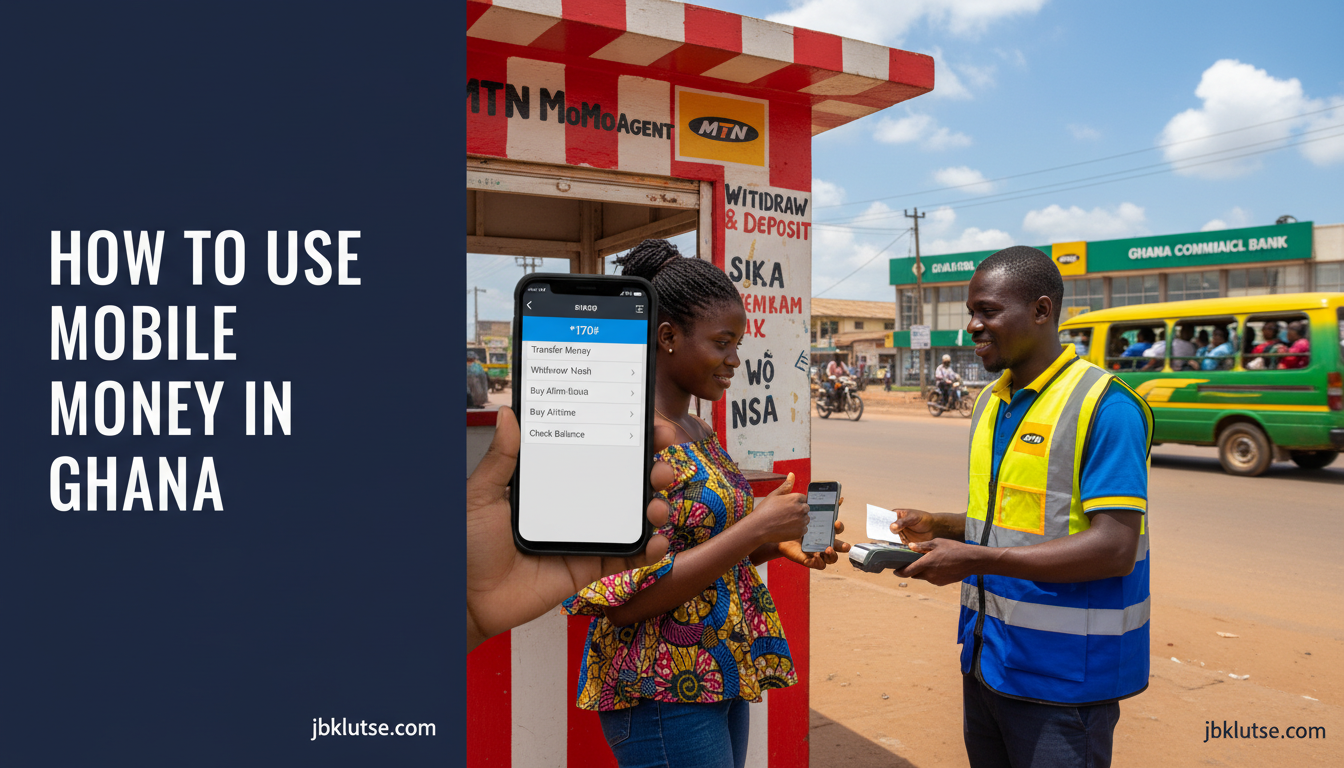
Learning how to use MoMo Ghana means mastering registration, PIN management, cross-network transfers, agent withdrawals, bank linking, and online payments across MTN, Telecel, and AirtelTigo. This hub breaks down every core MoMo task Ghanaians handle daily, with step-by-step walkthroughs, USSD codes, and links to detailed guides for each action. Whether you are sending money to Nigeria, resetting a forgotten PIN, or linking MoMo to your Stanbic account, the articles below cover every scenario as of April 2026.
Table of Contents
- TL;DR
- What Is Mobile Money in Ghana? (How to Use Momo Ghana)
- Why MoMo Matters in Ghana
- The MoMo Lifecycle: Core Tasks You Need to Master
- 1. Registration
- 2. PIN Management
- 3. Balance Checks
- 4. Sending Money
- 5. Withdrawing Cash
- 6. Bank Linking
- 7. Online Payments
- 8. International Remittances
- MoMo Network Comparison (April 2026)
- How to Get Started with MoMo (5 Steps)
- Common Mistakes and Fixes
- Mistake 1: Using the Same PIN Everywhere
- Mistake 2: Sending Money to Wrong Number
- Mistake 3: Not Verifying Agent Legitimacy
- Mistake 4: Ignoring Transaction Alerts
- Mistake 5: Not Linking to a Bank
- FAQs
- Related Reads
- Closing
- Sources
TL;DR
- MoMo registration requires a Ghana Card, valid SIM, and telco account.
- You can send money across MTN, Telecel, and AirtelTigo networks using USSD codes or apps.
- Agent withdrawals carry fees (GHS 1 to GHS 15 depending on amount, April 2026); bank links let you move funds free in some cases.
- Forgotten PINs reset via USSD or customer service, not at agents.
- MoMo works for online shopping, utility bills, and remittances to Nigeria, Kenya, and beyond.
What Is Mobile Money in Ghana? (How to Use Momo Ghana)
Mobile money (MoMo) is a phone-based financial service that lets you store value in a digital wallet, send and receive money, pay bills, buy airtime, and shop online without needing a traditional bank account. In Ghana, MoMo is provided by three telcos: MTN (MoMo), Telecel (Telecel Cash), and AirtelTigo (AirtelTigo Money). As of Q1 2026, Ghana has 43.7 million active MoMo accounts according to the Bank of Ghana, with MTN commanding roughly 75% market share. The service runs on USSD (dial codes that work on any phone), smartphone apps, and agent networks.
MoMo is regulated by the Bank of Ghana under the Payment Systems and Services Act, 2019 (Act 987), which caps daily transaction limits at GHS 10,000 (April 2026) for fully verified accounts and requires Ghana Card linkage for all wallets.
Why MoMo Matters in Ghana
Mobile money is the backbone of Ghana’s cashless economy. The Bank of Ghana reports that MoMo transaction value hit GHS 1.2 trillion in 2025, surpassing cheque and card payments combined. For traders in Makola, students at KNUST, gig workers in Takoradi, and families receiving remittances from abroad, MoMo is faster and cheaper than bank queues or Western Union counters.
The 2022 E-Levy (1.5% tax on electronic transfers above GHS 100 per day) briefly slowed growth, but volumes rebounded after the government reduced the rate to 1% in 2023 and exempted merchant payments in 2024. Today, MoMo drives everything from ECG bill payments to MTN Qwikloan disbursements to Jumia checkouts.
Knowing how to use MoMo is no longer optional in Ghana. It is the difference between waiting two days for a bank transfer or sending rent money in 30 seconds. This hub walks you through every core MoMo task.
The MoMo Lifecycle: Core Tasks You Need to Master
1. Registration
Before you can send or receive money, you must register a MoMo wallet with your telco. Each network has its own process, but all require:
– A Ghana Card (no exceptions post-2023 SIM re-registration)
– A valid SIM card on the network you want to use
– A visit to a certified agent or telco shop (in-app registration is limited)
How-to guides:
– How to Register for MTN How to Use Momo Ghana
– How to Register for Telecel Cash
– How to Register for AirtelTigo Money
2. PIN Management
Your MoMo PIN is a 4-digit code that authorizes every transaction. If you forget it, you cannot send money or withdraw cash. Agents cannot reset PINs for you (this is a security feature). You must use USSD or call customer service.
How-to guide:
– How to Reset a Forgotten MoMo PIN
3. Balance Checks
You can check your MoMo balance via USSD, app, or SMS, even without internet. This is critical for confirming receipts and avoiding overdrafts (MoMo wallets do not allow negative balances).
How-to guide:
– How to Check MoMo Balance Without Internet
4. Sending Money
MoMo-to-MoMo transfers within the same network (MTN to MTN, Telecel to Telecel) are instant and free up to GHS 100 per day (April 2026) (above that, you pay E-Levy only). Cross-network transfers (MTN to Telecel, Telecel to AirtelTigo) require interoperability hubs and carry small fees.
How-to guide:
– How to Send Money Across Networks with MoMo
5. Withdrawing Cash
You withdraw MoMo at agent kiosks (ubiquitous in Ghana) by dialing a USSD code, entering the agent’s number, confirming the amount, and collecting cash. Fees range from GHS 1 (for GHS 50) to GHS 15 (for GHS 5,000) (April 2026).
How-to guide:
– How to Withdraw MoMo at an Agent
6. Bank Linking
Linking your MoMo wallet to a bank account (Stanbic, Fidelity, Ecobank, etc.) lets you move money between MoMo and your bank instantly. Some banks charge fees; others offer free transfers if you use their app.
How-to guide:
– How to Link MoMo to Your Bank Account
7. Online Payments
MoMo works on most Ghanaian e-commerce sites (Jumia, Jiji, Glovo, Bolt) and some international platforms (Spotify, Netflix via gift cards). You enter your MoMo number at checkout, approve the payment via USSD prompt, and the merchant receives instant confirmation.
How-to guide:
– How to Use MoMo for Online Purchases
8. International Remittances
You can send money from Ghana MoMo to Nigeria (via MTN MoMo to MTN Nigeria MoMo), Kenya (M-Pesa via Ecobank or MoneyGram), or diaspora accounts (via WorldRemit, Sendwave, Remitly). Fees vary by corridor.
How-to guide:
– How to Send Money from Ghana MoMo to Nigeria
MoMo Network Comparison (April 2026)
| Feature | MTN MoMo | Telecel Cash | AirtelTigo Money |
|---|---|---|---|
| Market share | ~75% | ~18% | ~7% |
| Agent network | 350,000+ agents | 120,000+ agents | 80,000+ agents |
| Daily transaction limit (verified) | GHS 10,000 (April 2026) | GHS 10,000 (April 2026) | GHS 10,000 (April 2026) |
| Free send limit (per day) | GHS 100 (April 2026) | GHS 100 (April 2026) | GHS 100 (April 2026) |
| Cross-network send fee | GHS 0.75 (< GHS 500, April 2026) | GHS 0.75 (< GHS 500, April 2026) | GHS 0.75 (< GHS 500, April 2026) |
| Withdrawal fee (GHS 500) | GHS 5 (April 2026) | GHS 5 (April 2026) | GHS 5 (April 2026) |
| Bank link support | 20+ banks | 15+ banks | 12+ banks |
| International remittance | Nigeria, UK, UAE | Nigeria (limited) | Nigeria (via WorldRemit) |
| App name | MoMo (Google/Apple) | Telecel Money | AirtelTigo Money |
Data sources: MTN Ghana, Telecel Ghana, AirtelTigo websites; Bank of Ghana Q4 2025 stats. Cross-network fees standardized under GhIPSS interoperability rules.
How to Get Started with MoMo (5 Steps)
- Get a Ghana Card. No Ghana Card, no MoMo wallet. Period. Visit the National Identification Authority (NIA) to apply if you don’t have one.
- Choose a telco. MTN has the largest agent network and best international remittance options. Telecel and AirtelTigo have smaller networks but competitive loan products. Pick based on where your contacts bank and which network your family uses.
- Register your wallet. Visit a certified agent with your Ghana Card and SIM. The agent will verify your identity, create your PIN, and activate your wallet. This takes 5 to 10 minutes. See the registration guides above for telco-specific steps.
- Load money. Deposit cash at an agent (they will credit your wallet instantly) or receive a transfer from another MoMo user.
- Practice basic transactions. Send GHS 5 to a friend, check your balance via USSD, and withdraw GHS 20 at an agent. Familiarity kills anxiety.
Common Mistakes and Fixes
Mistake 1: Using the Same PIN Everywhere
Problem: If your MoMo PIN is the same as your phone unlock code or bank PIN, a thief who steals your phone can drain your wallet in minutes.
Fix: Set a unique MoMo PIN. Never write it down or share it via SMS. If you must store it, use a password manager like Bitwarden.
Mistake 2: Sending Money to Wrong Number
Problem: You dial *170#, enter the recipient’s number, and hit send before double-checking. The money goes to a stranger.
Fix: Always confirm the recipient’s name before finalizing. MTN and Telecel display the account holder’s name after you enter the number. If the name is wrong or missing, stop and re-enter.
Mistake 3: Not Verifying Agent Legitimacy
Problem: Fake agents set up kiosks, collect your cash, and disappear without crediting your wallet.
Fix: Only transact at kiosks with telco-branded signage. Ask to see the agent’s ID. Check your wallet balance immediately after depositing. If the credit doesn’t appear in 2 minutes, call customer service (MTN: 100, Telecel: 180, AirtelTigo: 181) while still at the kiosk.
Mistake 4: Ignoring Transaction Alerts
Problem: You receive an SMS saying GHS 500 left your wallet, but you didn’t authorize it. By the time you notice, the money is gone.
Fix: Read every MoMo alert immediately. If you see an unauthorized transaction, call your telco and request a freeze (MTN: 100, Telecel: 180, AirtelTigo: 181). Report to the Ghana Police Cyber Crime Unit within 24 hours.
Mistake 5: Not Linking to a Bank
Problem: You keep large balances in MoMo, which earns zero interest and is more vulnerable to fraud than a bank account.
Fix: Link your MoMo to a savings account and sweep excess funds daily. Stanbic, Fidelity, and Ecobank offer instant MoMo-to-bank transfers. Keep only transaction cash in MoMo (GHS 500 to GHS 2,000 maximum, April 2026).
FAQs
Can I use MoMo without a smartphone?
Yes. All MoMo services work via USSD codes on any phone, even a GHS 50 (April 2026) feature phone. The USSD menu is text-based and does not require data. Apps like MoMo and Telecel Money add convenience (transaction history, fingerprint login) but are optional.
What happens if I enter the wrong PIN three times?
Your wallet locks automatically to prevent fraud. Call customer service (MTN: 100, Telecel: 180, AirtelTigo: 181) with your Ghana Card number to unlock. Unlocking takes 10 to 30 minutes. Some telcos require you to visit a service center.
How do I avoid E-Levy on MoMo transfers?
You cannot avoid E-Levy on personal transfers above GHS 100 per day (April 2026). The 1% charge is automatic. To minimize it, consolidate transfers (send GHS 1,000 once instead of GHS 100 ten times). Merchant payments (Jumia, ECG, Glovo) are E-Levy exempt as of 2024.
Can I reverse a MoMo transaction?
No. Once you confirm a send with your PIN, the transaction is final. If you sent money to the wrong number, contact the recipient and request a return. If they refuse, file a complaint with your telco and the Bank of Ghana Financial Consumer Protection Directorate. Reversals require court orders in fraud cases.
Is MoMo safe?
MoMo is safer than carrying cash, but fraud happens. Common scams include SIM swap (thief ports your number to their SIM and drains your wallet) and agent impersonation. Protect yourself by setting a SIM lock (contact your telco), never sharing your PIN, and transacting only at verified agents. Read our MoMo fraud guide for detailed security practices.
Can I use Ghana MoMo abroad?
MTN MoMo works in Nigeria, Uganda, and 15 other African countries where MTN operates. You dial the same *170# code, and the menu adapts to the local currency. Telecel and AirtelTigo have limited international roaming. For diaspora remittances, use WorldRemit, Sendwave, or Remitly to load MoMo from the UK or US.
Related Reads
Zoom out to the full MoMo ecosystem:
– MoMo & Fintech in Ghana: The Complete Guide (Super Pillar)
Master specific MoMo tasks (all clusters):
– How to Register for MTN How to Use Momo Ghana
– How to Register for Telecel Cash
– How to Register for AirtelTigo Money
– How to Reset a Forgotten MoMo PIN
– How to Send Money Across Networks with MoMo
– How to Check MoMo Balance Without Internet
– How to Link MoMo to Your Bank Account
– How to Use MoMo for Online Purchases
– How to Withdraw MoMo at an Agent
– How to Send Money from Ghana MoMo to Nigeria
Explore related MoMo hubs:
– MoMo Fees in Ghana: Complete Breakdown Across All Telcos
– MoMo Fraud in Ghana: How to Spot Scams and Protect Yourself
Closing
Mobile money runs Ghana. The guides above give you every step, USSD code, and fee table you need to send, receive, withdraw, link, and protect your wallet. Bookmark this hub and share it with family who are still paying agent fees they could avoid or sitting in bank queues they could skip.
Follow JBKlutse on X at @jbklutsemedia for instant updates when telcos change fees, launch new features, or when scams spike. We monitor MoMo policy changes, Bank of Ghana regulations, and telco announcements daily so you never get caught off-guard.
Sources
- Bank of Ghana, Payment Systems Oversight Annual Report 2025, www.bog.gov.gh
- MTN Ghana MoMo Tariff Guide, April 2026, www.mtn.com.gh/momo
- Telecel Ghana Cash Product Page, April 2026, www.telecelghana.com/cash
- AirtelTigo Money Features, April 2026, www.airteltigo.com.gh/money
- Ghana Interbank Payment and Settlement Systems (GhIPSS), Interoperability Rules 2024, www.ghipss.com
- Payment Systems and Services Act, 2019 (Act 987), Ghana Legal Information Institute, www.ghalii.org