To register Telecel Cash, you dial *170# from your Telecel SIM, follow the prompts to create a four-digit PIN, and confirm your Ghana Card details if prompted. The process takes under five minutes, costs nothing, and requires no minimum deposit to activate. This guide walks you through the USSD registration method, the agent-assisted option for first-time users in Accra or Kumasi, what documents you need if your SIM is not Ghana Card-linked, and how to troubleshoot the three most common activation errors Ghanaians encounter in 2026.
Table of Contents
Telecel Cash is Telecel Ghana’s mobile money service, competing directly with MTN MoMo and AirtelTigo Money. As of April 2026, Telecel has roughly 7.2 million subscribers nationwide, and the telco claims 2.1 million active MoMo wallets. Registration is free, and the service operates on the same GhIPSS interoperability rails that let you send money to MTN or Vodafone Cash users without leaving the Telecel ecosystem.
TL;DR
- Dial *170# from your Telecel line, select “Register,” create a four-digit PIN, and confirm.
- No activation fee, no minimum balance, and the wallet is live immediately.
- If your SIM is not Ghana Card-registered, visit a Telecel agent with your Ghana Card or passport.
- You can also register at any Telecel branch or authorized agent with your ID.
- Transaction limits start at GHS 5,000 daily for Tier 1 wallets (April 2026); upgrade to Tier 2 (GHS 20,000 daily) by linking your Ghana Card at an agent.
What You Need Before You Start
Telecel Cash registration has two paths: self-service via USSD (fastest) and agent-assisted (required if your SIM registration is incomplete or you lack a Ghana Card link).
For USSD self-registration:
– An active Telecel SIM card registered in your name
– Your Ghana Card number (if the SIM was registered after January 2022 under the NCA’s SIM re-registration mandate)
– A four-digit PIN you will create (do not reuse your MoMo PIN from another telco or your bank card PIN)
For agent-assisted registration:
– Your Telecel SIM
– Original Ghana Card or valid passport (Voter ID is no longer accepted for financial services since the Bank of Ghana’s 2024 KYC directive)
– If registering for someone else (e.g., a minor or elderly relative), you need a signed authorization letter plus both your Ghana Card and theirs
Telecel does not charge a registration fee. The service activates instantly upon successful PIN creation. There is no minimum balance requirement to keep the wallet open, unlike some savings accounts that levy dormancy fees.
Step-by-Step: Register via USSD (*170#)
This is the fastest method if your SIM is already linked to your Ghana Card.
- Dial *170# from your Telecel phone.
- The menu appears. Select option 1: Register for Telecel Cash (or the equivalent prompt; Telecel updates menu wording occasionally).
- You will be asked to enter your Ghana Card number (the 15-digit GHA-XXXXXXXXX-X format). Type it exactly, including the hyphens if prompted.
- Create a four-digit PIN. Do not use 0000, 1234, or your birth year. The system rejects obvious sequences.
- Re-enter the PIN to confirm.
- You receive an SMS confirmation: “Your Telecel Cash account has been successfully registered. Your wallet balance is GHS 0.00.”
- Done. You can now dial *170# anytime to check balance, send money, buy airtime, or pay bills.
Common error at step 3: “Ghana Card number not recognized.” This happens if:
– Your SIM was registered before the 2022 NCA mandate and lacks a Ghana Card link in Telecel’s database.
– You entered the card number incorrectly (the hyphens matter).
– Your Ghana Card is flagged as inactive in the NIA database (rare, but it happens if you never collected the physical card after registration).
Fix: Visit a Telecel shop or agent. They will update your SIM registration on the spot using your physical Ghana Card. Takes 10 minutes. Bring the card and your SIM.
Step-by-Step: Register at a Telecel Agent
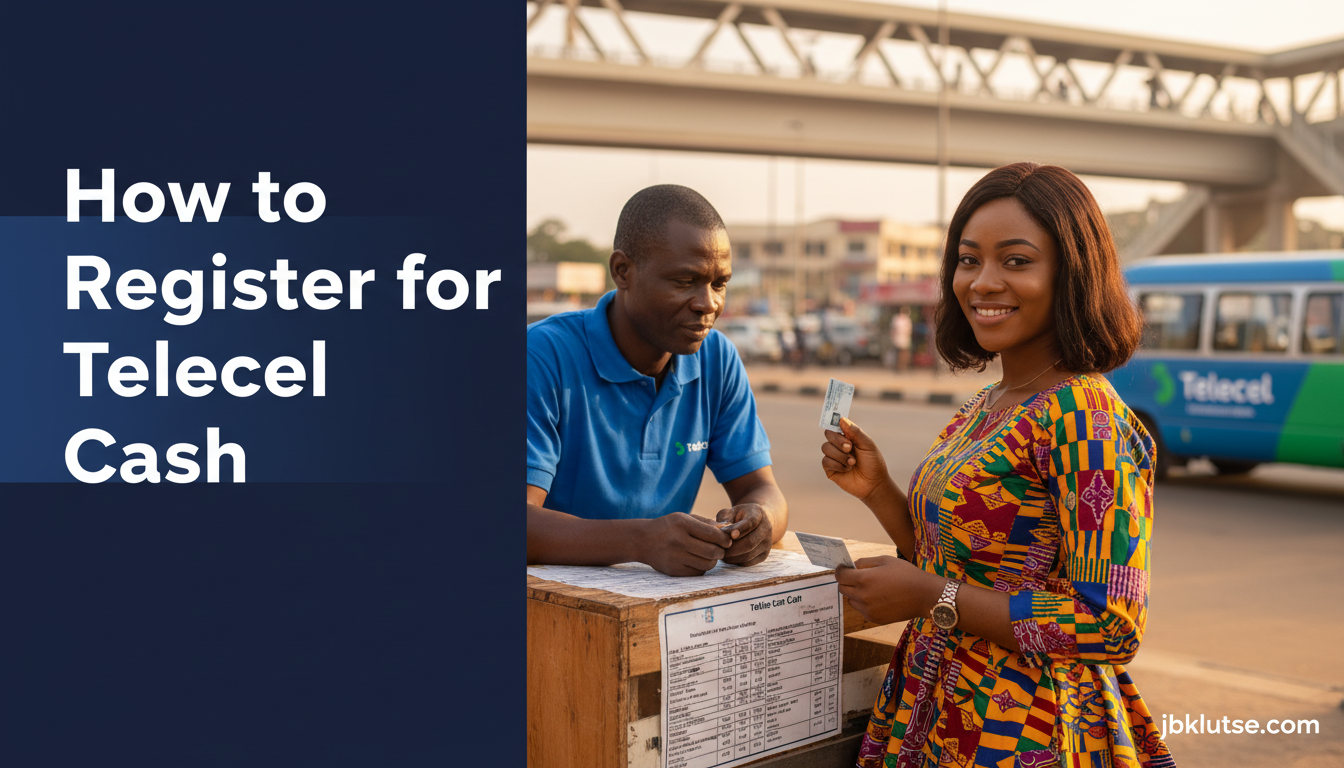
If the USSD route fails or you prefer human help, any Telecel-branded shop or authorized agent can register you.
- Find an agent. Telecel agents are marked by blue-and-green signage reading “Telecel Cash Agent” or “Telecel Cash Point.” High-traffic agent clusters: Kwame Nkrumah Circle (Accra), Kejetia Market (Kumasi), Takoradi Market Circle.
- Bring your Telecel SIM and Ghana Card. The agent will ask for both.
- The agent dials a backend registration code (not visible to you) and enters your Ghana Card number into their terminal.
- Create your PIN on the agent’s phone or on a paper form (some agents still use paper, then type it in). The agent cannot see your PIN after you enter it.
- You receive the SMS confirmation instantly.
- The agent may ask if you want to deposit money immediately (optional). If yes, hand over cash, and they credit your wallet. The agent’s commission (GHS 0.50 to GHS 1.00 per transaction, paid by Telecel) is invisible to you.
Agent commission note: Depositing GHS 100 costs you GHS 100. The agent earns separately. Withdrawing GHS 100 costs you GHS 100 plus the standard Telecel Cash withdrawal fee (see the MoMo & Fintech pillar for the full fee schedule; as of April 2026, withdrawing GHS 100 costs GHS 0.00 if done at a Telecel agent, but GHS 1.00 if withdrawn via an ATM using the Telecel MoMo card).
Upgrading to Tier 2 (Higher Limits)
New wallets default to Tier 1:
– Daily transaction limit: GHS 5,000 (April 2026)
– Monthly limit: GHS 20,000 (April 2026)
– Single transaction cap: GHS 2,000 (April 2026)
Tier 2 raises limits to:
– Daily: GHS 20,000 (April 2026)
– Monthly: GHS 100,000 (April 2026)
– Single transaction: GHS 10,000 (April 2026)
To upgrade, visit any Telecel shop with your Ghana Card. The staff link your card to your wallet via the Bank of Ghana’s e-KYC portal. Upgrade is free and takes 5, 10 minutes. You receive an SMS confirming the new tier.
Why upgrade? If you run a small business (e.g., a provision shop in Madina or a seamstress in Tema), Tier 1 limits can feel tight. A single GHS 3,000 fabric order will bounce if you try to pay via Telecel Cash without upgrading. Tier 2 also unlocks access to Telecel’s merchant payment tools (QR codes, payment links), which require Tier 2 status.
Linking Your Telecel Cash to Your Bank Account
As of 2026, Telecel Cash integrates with most Ghanaian banks via the GhIPSS instant pay platform. You can link your Telecel wallet to your Ecobank, Fidelity, GCB, or Stanbic account and transfer money both ways without visiting a branch.
How to link:
1. Dial *170# > Select “My Account” > “Link Bank Account”
2. Enter your bank account number (10 digits for most banks)
3. Select your bank from the list (Telecel supports 18 banks as of April 2026)
4. Confirm with your Telecel Cash PIN
5. Your bank sends an SMS OTP to your registered phone. Enter it.
6. Link confirmed. Transfers between your bank and Telecel Cash cost GHS 0.00 for amounts under GHS 500, GHS 0.50 for GHS 500–GHS 2,000, and GHS 1.00 for amounts above GHS 2,000 (fees set by GhIPSS, not Telecel, April 2026).
For the complete linking guide, see How to Link MoMo to Your Bank Account.
Troubleshooting Common Registration Errors
Error: “Service not available. Try again later.”
– Cause: Telecel’s USSD gateway is down (rare but happens during system upgrades, usually late at night).
– Fix: Wait 30 minutes and retry. If the error persists past 6 hours, visit an agent. Telecel does not publish system status updates publicly, so agent registration bypasses the USSD downtime.
Error: “This SIM is already registered for Telecel Cash.”
– Cause: Someone (you, or a previous owner of the SIM) already created a wallet on this number.
– Fix: Dial *170# > “Forgot PIN” > follow prompts to reset. If you bought a used SIM and cannot recover the PIN, visit a Telecel shop with your Ghana Card and purchase receipt. Staff can deactivate the old wallet and register you fresh. This takes 24 hours (Telecel’s fraud-prevention cooldown).
Error: “Your Ghana Card is not registered with NIA.”
– Cause: Your Ghana Card application is incomplete, or the NIA database flagged your record as inactive (common if you registered for the card but never picked it up).
– Fix: Visit the nearest NIA district office, verify your card status, and request reactivation if needed. Telecel cannot bypass this; all telcos and banks cross-check against the NIA’s central registry per Bank of Ghana’s KYC rules.
Ghana-Specific Considerations
Cost to register: GHS 0.00. No hidden fees. Telecel absorbs the cost as customer acquisition.
SIM re-registration compliance: If you bought your Telecel SIM before 2022 and never completed the Ghana Card linkage during the NCA’s SIM re-registration window (which closed in March 2022), your line may still be active for calls and data, but Telecel Cash registration will fail. Visit a shop. Bring your Ghana Card. The update is free.
Agent availability: Telecel has roughly 12,000 active agents nationwide (per the telco’s Q1 2026 investor report). Agent density is highest in Greater Accra (4,200 agents), Ashanti (3,100), and Eastern Region (1,800). Northern, Upper East, and Upper West regions have sparser coverage. If you live in Bolgatanga or Wa, expect to travel to the regional capital to find a Telecel shop.
Interoperability with MTN and AirtelTigo: Telecel Cash works on GhIPSS rails. You can send money to an MTN or AirtelTigo number directly from your Telecel wallet. Cross-network transfer fees as of April 2026:
– Telecel to MTN: GHS 0.75 for amounts up to GHS 100, GHS 1.50 for GHS 100–GHS 500, GHS 3.00 for GHS 500+
– Telecel to AirtelTigo: same fee structure
– Telecel to Vodafone Cash: GHS 0.75 base, capped at GHS 5.00 for transfers above GHS 5,000
(See the full cross-network guide: How to Send Money Across Networks with MoMo.)
Transaction receipts: Every Telecel Cash transaction generates an SMS receipt with a unique transaction ID (16-digit alphanumeric). Save these. If a payment fails or you need to dispute a charge, Telecel’s customer care (dial 155 or visit a shop) will ask for the transaction ID.
PIN security: Do not share your Telecel Cash PIN with anyone, including Telecel agents. Legitimate agents never ask for your PIN verbally. If an agent requests it, walk away and report the agent to Telecel via 155. Telecel investigates and deactivates rogue agents within 48 hours.
FAQs
Can I register Telecel Cash if I’m under 18?
No. Ghanaian financial regulations require you to be 18 or older to hold a mobile money account. Minors can use a parent or guardian’s wallet, but the wallet must be registered in the adult’s name.
Do I need a smartphone to use Telecel Cash?
No. Telecel Cash runs entirely on USSD (*170#). Any phone that can send SMS and dial codes works. Feature phones (e.g., Nokia 3310, Itel it5600) are fine.
Can I register Telecel Cash if I’m not a Ghanaian citizen?
Yes, if you have a valid Ghana Card (foreign residents who obtain a Ghana Card as part of work or residency permits can register) or a passport. Visit a Telecel shop; passport-based registration requires the agent to photograph your passport and upload it to Telecel’s KYC system. Processing takes 24 hours.
What happens if I lose my SIM card?
Visit a Telecel shop immediately with your Ghana Card. Request a SIM swap (costs GHS 5.00 as of April 2026). Your Telecel Cash wallet remains intact; the new SIM inherits the wallet once Telecel verifies your identity. Do not delay. If someone finds your old SIM and knows your PIN, they can drain your wallet before you block it.
Can I have two Telecel Cash wallets on two different Telecel numbers?
Yes, if both SIMs are registered in your name. Each SIM gets its own wallet. You cannot merge wallets, but you can transfer money between them at the standard Telecel-to-Telecel rate (GHS 0.00 for transfers under GHS 100, GHS 0.50 for GHS 100–GHS 1,000, as of April 2026).
How do I check my Telecel Cash balance without internet?
Dial *170# > select “Check Balance.” The USSD response shows your balance instantly. No data connection needed. Full guide: How to Check MoMo Balance Without Internet.
Can I use Telecel Cash to pay for goods on Jumia or Tonaton?
Yes. Select “Mobile Money” at checkout, then choose “Telecel Cash.” You will be prompted to dial *170# to authorize the payment. See How to Use MoMo for Online Purchases for step-by-step instructions.
What if I forget my Telecel Cash PIN?
Dial *170# > “Forgot PIN” > enter your Ghana Card number > create a new PIN. If that fails, visit a Telecel shop with your Ghana Card. Staff reset your PIN on the spot. Reset guide: How to Reset a Forgotten MoMo PIN.
Related Reads
- Zoom out: MoMo & Fintech , Ghana’s mobile money and digital payments pillar
- Topic hub: How to Use Mobile Money in Ghana: Every Guide You Need
- MTN’s version: How to Register for MTN MoMo in Ghana
- AirtelTigo’s process: How to Register for AirtelTigo Money
- Cross-network transfers: How to Send Money Across Networks with MoMo
- Agent withdrawals: How to Withdraw MoMo at an Agent
Closing
Telecel Cash registration is straightforward: dial *170#, create a PIN, and you are live. If the USSD path blocks you, a Telecel agent or shop fixes it in under 10 minutes. Once registered, your wallet works across the GhIPSS network, so you can send money to MTN, AirtelTigo, and Vodafone users without friction. Keep your PIN private, save transaction receipts, and upgrade to Tier 2 if your monthly transaction volume exceeds GHS 20,000 (April 2026).
Telecel continues to invest in agent coverage, especially in Northern and Volta regions where MoMo adoption lags behind Greater Accra and Ashanti. If you live outside the big cities, expect agent density to improve through 2026 as Telecel competes with MTN for rural market share.
Follow our updates on X at @jbklutsemedia.
Sources
- Telecel Ghana , Mobile Financial Services (official product page)
- Ghana Interbank Payment and Settlement Systems (GhIPSS) , Interoperability standards
- National Communications Authority , SIM Registration Directives (2022)
- Bank of Ghana , KYC Requirements for Financial Services (2024)
- National Identification Authority , Ghana Card status and verification