MoMo reversal scams cost Ghanaian traders and small business owners thousands of cedis every month through fake payment reversals that empty mobile money wallets after goods or services have been delivered. This guide breaks down the three most common reversal fraud patterns active in Accra, Kumasi, and Takoradi as of April 2026, shows you the exact red flags MTN, Telecel, and AirtelTigo customer service representatives use to spot these scams, and explains the one technical step that blocks 90% of reversal fraud attempts before money leaves your wallet.
Table of Contents
- TL;DR
- How MoMo Reversal Scams Work
- The Three Most Common Variants in Ghana (2026)
- Variant A: The 48-Hour Pending Trick
- Variant B: The Wrong Number "Recall"
- Variant C: The "Upgrade Required" Scam
- Technical: How to Verify a Real MoMo Payment
- What to Do If You Fall Victim
- Ghana-Specific Considerations
- Telco Fraud Policies (As of April 2026)
- Regulator Actions
- Common Victim Profiles
- Red Flags Summary (Print and Keep)
- Prevention Checklist for Traders
- What Telcos and Regulators Are Doing
- What Banks and Payment Services Say
- FAQs
- Related Reads
- Closing
- Sources
Reversal scams exploit the gap between when a MoMo payment notification arrives on your phone and when the money actually clears into your account. Fraudsters use fake screenshots, social engineering, and timing manipulation to convince you that a payment has been made and then reversed due to “technical issues” requiring you to send money back or forward.
TL;DR
- MoMo reversal scams target traders who receive fake payment confirmations then get pressured to “refund” money that never arrived
- The 48-hour clearance trick is the most common variant: scammer claims a payment is “pending reversal” and needs you to send money now to fix it
- MTN, Telecel, and AirtelTigo never ask customers to send money to reverse a failed transaction via SMS, call, or MoMo agent
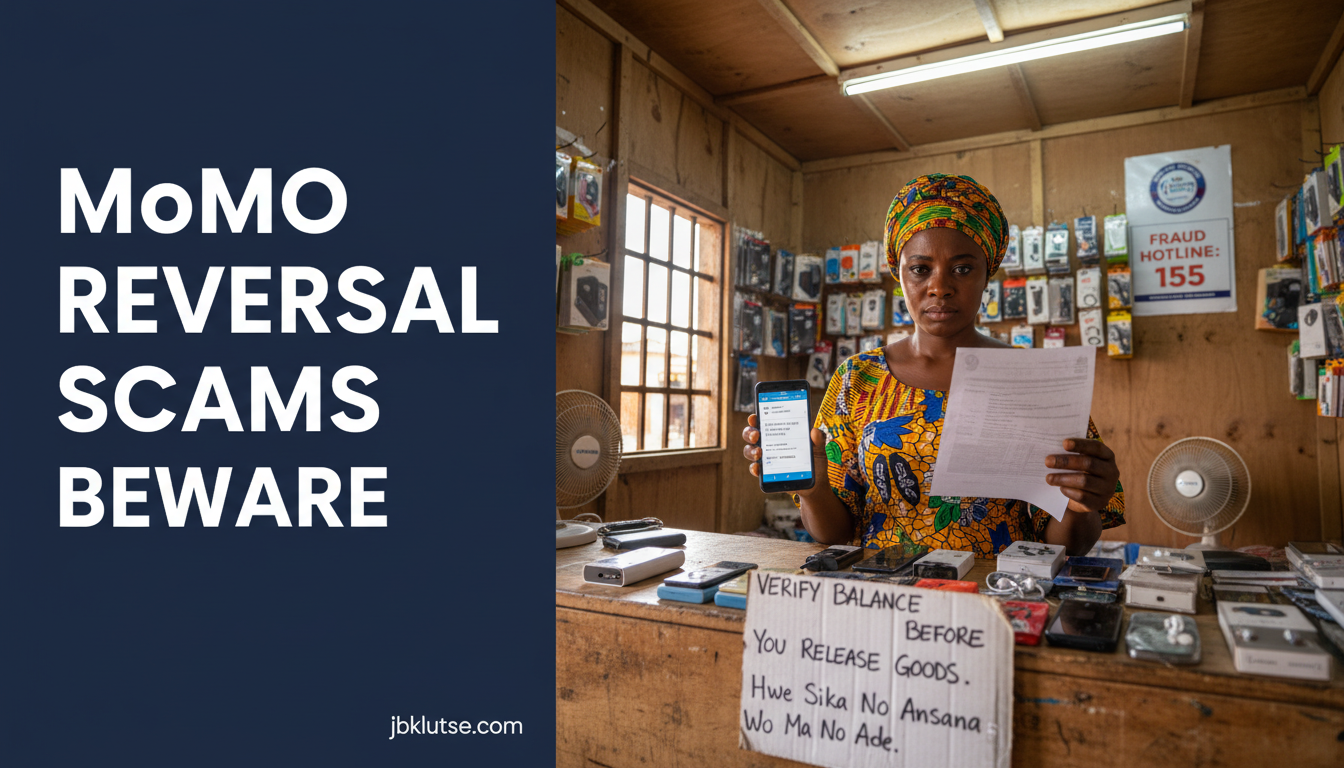
- Always check your actual wallet balance before releasing goods or sending money, not just the SMS notification
- File complaints with the Bank of Ghana Financial Stability Department and your telco’s fraud desk within 24 hours of discovering the scam
How MoMo Reversal Scams Work
A reversal scam follows a predictable four-stage pattern. Understanding each stage helps you recognize the trap before money leaves your account.
Stage 1: The fake payment. A buyer contacts you (via WhatsApp, social media, or in person at your shop) to purchase goods worth GHS 200 to GHS 5,000 (April 2026). They claim to pay via MoMo. You receive an SMS that looks legitimate, often with correct formatting and your name spelled right. Some fraudsters send doctored screenshots showing a “pending” transaction.
Stage 2: The pressure. Minutes after the “payment,” the buyer claims their account was debited but your wallet did not credit. They show you their transaction history (often fabricated using photo editing apps). They insist the telco reversed the payment due to a technical error and that you now need to send the money back to them so they can retry.
Stage 3: The urgency. The scammer introduces time pressure. “I need to travel now,” or “My boss is calling, I must deliver this item today,” or “The telco said if we don’t reverse within 30 minutes, the money is lost forever.” This urgency is designed to bypass your instinct to verify with your bank or telco.
Stage 4: The disappearance. Once you send money via MoMo (believing you are “refunding” a payment that failed), the scammer blocks your number and vanishes. When you check your original wallet balance, you discover the first “payment” never existed.
The Three Most Common Variants in Ghana (2026)
Variant A: The 48-Hour Pending Trick
The scammer sends a fake SMS claiming a payment of GHS 800 (April 2026) is “pending verification” and will auto-reverse in 48 hours unless you confirm receipt by sending GHS 50 (April 2026) to a “verification number.” This variant targets MoMo agents and market traders in Makola, Kejetia, and Takoradi Market Circle.
Red flag: MTN, Telecel, and AirtelTigo never charge a verification fee to release payments. All legitimate MoMo transactions credit your wallet instantly (within 5 seconds) or fail completely. There is no 48-hour pending state for merchant payments.
Variant B: The Wrong Number “Recall”
The scammer claims they accidentally sent GHS 1,200 (April 2026) to your number instead of a different number ending in similar digits (e.g., they meant 0244-XXX-789 but sent to 0244-XXX-780). They beg you to send the money back immediately, sometimes offering a “reward” of GHS 50 (April 2026) for your honesty.
Red flag: Legitimate MoMo users can reverse their own mistaken payments by calling their telco’s customer service within 24 hours. They do not need the recipient to manually send money back. If someone claims your wallet received money by mistake, tell them to contact their telco directly and hang up.
For a detailed breakdown of wrong-number scam mechanics, read our guide on wrong number scams explained.
Variant C: The “Upgrade Required” Scam
The scammer poses as a telco agent and calls you claiming your MoMo wallet needs an “upgrade” to receive payments above GHS 500 (April 2026). They say a test payment of GHS 1,000 (April 2026) is coming but will reverse unless you first send GHS 200 (April 2026) to “activate the upgrade.” This variant surged in rural areas of Ashanti and Northern regions in Q1 2026.
Red flag: Telcos never require upfront payments to increase MoMo transaction limits. MTN, Telecel, and AirtelTigo all allow wallet upgrades (from Starter to Advanced or Premier tiers) through USSD menus or retail agents, with verification happening via Ghana Card upload or in-person registration. Zero cedis are charged to the customer for these upgrades.
Technical: How to Verify a Real MoMo Payment
Before releasing goods or sending money, complete these three checks:
Check your wallet balance via USSD (dial
*170#for MTN,*110#for Telecel,*501#for AirtelTigo). Compare the balance before and after the claimed payment. SMS notifications can be faked. Your USSD balance cannot.Request transaction ID. Every legitimate MoMo transaction generates a unique 12-digit ID visible in the sender’s transaction history. Ask the buyer to show you this ID. Then dial your telco’s customer service (
100for MTN,181for Telecel,111for AirtelTigo) and ask the agent to confirm that transaction ID credited your wallet.Wait 60 seconds. Even in cases of genuine network delays (rare but possible during peak hours or maintenance windows), delayed payments credit within 60 seconds. If your wallet balance has not increased after one minute, no money arrived.
Do not accept screenshots as proof. Do not accept verbal assurances. Do not release goods or send money until your USSD balance reflects the payment.
What to Do If You Fall Victim
If you realize you sent money to a reversal scammer:
Call your telco immediately. MTN:
100, Telecel:181, AirtelTigo:111. Request a transaction freeze. Telcos can sometimes block the recipient wallet if you report within 15 minutes of sending money, before the scammer cashes out via an agent.File a fraud report with your telco’s fraud desk. MTN accepts reports via email at frauddesk@mtn.com.gh. Telecel routes complaints through their call center. AirtelTigo uses
fraud@airteltigo.com.gh. Provide the scammer’s phone number, transaction ID, and exact timeline.Report to Bank of Ghana. The BoG Financial Stability Department oversees mobile money regulations. File a complaint at their Accra head office (Thorpe Road, near 37 Military Hospital) or via email at
fsdinfo@bog.gov.gh. Include your MoMo statements showing the fraudulent transaction.File a police report. Visit the Ghana Police Cyber Crime Unit at CID Headquarters (Ministries, Accra) or your local police station. Bring printed copies of all SMS records, transaction IDs, and the scammer’s phone number. Request a case number for insurance or legal follow-up.
For step-by-step recovery instructions, see our full guide on getting your money back after MoMo fraud.
Ghana-Specific Considerations
Telco Fraud Policies (As of April 2026)
| Telco | Max reversal window | Customer liability | Fraud hotline |
|---|---|---|---|
| MTN Ghana | 24 hours | GHS 0 if reported within 1 hour (April 2026) | 100 (toll-free) |
| Telecel Ghana | 24 hours | Full liability after 12 hours | 181 (toll-free) |
| AirtelTigo | 48 hours | GHS 0 if reported within 30 minutes (April 2026) | 111 (toll-free) |
MTN Ghana introduced a “Fraud Shield” feature in February 2026 that sends a second SMS confirmation if a transaction exceeds GHS 1,000 (April 2026) and originates from a number not in your contact list. Activate it by dialing *170# → My Account → Security Settings → Fraud Shield. This feature is free but not enabled by default.
Regulator Actions
The Bank of Ghana issued Directive BSD/21-2025 in December 2025 requiring all mobile money providers to display a “Verify Before You Send” warning on USSD transfer screens. This warning appears for transactions above GHS 500 (April 2026) to non-contacts. Compliance became mandatory on 1 January 2026.
The Cyber Security Authority (CSA) runs a public awareness campaign targeting market traders. Posters in Twi and English appear at MoMo agent kiosks in Kumasi Central Market, Makola Market, and Takoradi Market Circle. The posters list the top three scam red flags and the CSA hotline: 155.
To file a formal complaint with the CSA, follow our guide on filing a complaint with Cyber Security Authority.
Common Victim Profiles
Data from the Ghana Police Cyber Crime Unit (Q4 2025 report) shows reversal scams disproportionately affect:
- Small traders (42% of cases): individuals selling goods worth GHS 200 to GHS 2,000 (April 2026) via WhatsApp or Facebook Marketplace
- MoMo agents (31%): registered agents in peri-urban and rural areas who process high transaction volumes and face pressure to move quickly
- Students (18%): university and senior high school students selling used phones, textbooks, or accepting payments for services
- First-time online sellers (9%): individuals with no prior e-commerce experience who trust SMS notifications without verifying wallet balance
Red Flags Summary (Print and Keep)
Post this checklist at your shop counter or save it to your phone:
- Any caller claiming to be from a telco asking you to send money to “reverse” or “verify” a payment
- SMS messages with misspellings, incorrect sender names, or unfamiliar formatting (compare to your legitimate MoMo SMS history)
- Buyers who refuse to wait 60 seconds for you to check your wallet balance
- Screenshots as sole proof of payment (never accept screenshots)
- Urgent language: “Do it now or lose the money forever”
- Requests to send money to a third-party number “for verification”
- Claims that your wallet has a pending payment requiring action
- Offers of rewards or bonuses for sending money back quickly
If a transaction feels suspicious, stop and verify. Call your telco’s customer service. Check your USSD balance. Ask a friend or family member for a second opinion. Legitimate buyers will wait. Scammers will pressure you.
Prevention Checklist for Traders
- Never release goods until your USSD wallet balance increases by the exact sale amount
- Save screenshots of your wallet balance before and after every transaction above GHS 500 (April 2026)
- Keep a transaction log: date, time, buyer’s number, amount, transaction ID
- Enable two-factor authentication on your MoMo wallet if your telco offers it (MTN and Telecel both support PIN + biometric unlock as of March 2026)
- Educate your staff if you run a shop with multiple employees: only the owner or senior manager should verify high-value MoMo payments
- Join a trader WhatsApp group: many market associations in Accra, Kumasi, and Takoradi run scam alert groups where members share active scammer phone numbers in real time
For broader context on scam patterns targeting Ghanaian MoMo users, read our overview of top MoMo scams in Ghana (2026).
What Telcos and Regulators Are Doing
MTN Ghana launched “SafePay Alerts” in January 2026, a free SMS service that sends a second confirmation message 10 seconds after any MoMo payment leaves your wallet. The delayed message includes the recipient’s registered name (first 3 letters + asterisks) and account status (verified or unverified). This gives you a 10-second window to call 100 and request a transaction freeze if something looks wrong. To activate SafePay Alerts, dial *170# → Settings → SafePay Alerts.
Telecel Ghana partnered with the Ghana Police Cyber Crime Unit in February 2026 to create a shared fraud database. When you report a scam to Telecel’s fraud desk, they cross-check the scammer’s number against police records. If the number appears in multiple reports, Telecel permanently suspends the wallet and shares the subscriber details with CID. This system blocked 1,247 scammer wallets in its first 60 days (data as of 15 April 2026, per Telecel’s Q1 2026 fraud report).
AirtelTigo introduced “TrustedSeller” badges in March 2026 for verified merchants. If you operate a registered business and process more than GHS 10,000 (April 2026) in MoMo payments per month, you can apply for TrustedSeller status. Verified accounts display a green checkmark in the recipient’s SMS notification, helping buyers distinguish legitimate traders from scammers posing as merchants. Apply via AirtelTigo’s business portal at business.airteltigo.com.gh or visit any AirtelTigo Shop with your business registration certificate and Ghana Card.
The Bank of Ghana’s Financial Stability Department held workshops in Accra (February 2026), Kumasi (March 2026), and Takoradi (April 2026) training MoMo agents on fraud detection. The workshops are free and run monthly. Check the BoG website at bog.gov.gh/events for upcoming sessions. Topics include: recognizing fake SMS formats, verifying transaction IDs, and using the BoG fraud reporting portal.
For investment scams that often use MoMo as the payment rail, see our detailed breakdown of investment scam patterns in Ghana.
What Banks and Payment Services Say
GhIPSS (Ghana Interbank Payment and Settlement Systems) issued a public advisory in March 2026 reminding MoMo users that no legitimate payment service asks you to send money to reverse a failed transaction. The advisory clarifies that payment reversals (when a transaction genuinely fails due to network issues) happen automatically within the telco’s system. No customer action is required.
Fidelity Bank Ghana, Ecobank Ghana, and Absa Bank Ghana (all three offer integrated MoMo-to-bank account services) updated their mobile apps in Q1 2026 to display a fraud warning when users link a new MoMo wallet. The warning states: “If someone claims a payment to you failed and asks you to send money back, contact our fraud desk immediately.” The banks’ fraud desk numbers appear on-screen.
Zeepay (mobile wallet and remittance service popular among Ghanaian traders) added a “Verify Sender” button to its app in February 2026. When you receive a payment notification, tap Verify Sender to see the sender’s account creation date, verification status (Ghana Card confirmed or not), and transaction history (total number of successful payments sent). Accounts created in the last 7 days with zero transaction history trigger an automatic caution message: “New account. Verify payment in your wallet before releasing goods.”
FAQs
How can I tell if a MoMo SMS is fake?
Compare the sender ID, formatting, and language to your legitimate MoMo SMS history. Real MTN messages come from “MTN MoMo” (not “MTN-MOMO” or “MTN Ghana”). Real Telecel messages come from “Telecel Cash” (not “Telecel MoMo”). Fake SMS often have spelling errors (“recieved” instead of “received”), inconsistent spacing, or unnatural phrasing. Most importantly, cross-check your wallet balance via USSD immediately. If your balance did not increase, the SMS is fake.
Can a scammer reverse a real MoMo payment after I release goods?
No. Once a MoMo transaction completes and your wallet balance increases, only your telco can reverse it, and only under specific conditions (you file a fraud report with proof, or the sender’s account was stolen and the bank/telco verifies this). A sender cannot unilaterally reverse a completed payment by calling customer service and claiming they made a mistake. If someone tells you they will “reverse the payment” unless you refund them, they are lying.
What happens if I send money to a scammer by mistake?
Call your telco’s fraud hotline immediately (within 15 minutes if possible). MTN, Telecel, and AirtelTigo can sometimes freeze the recipient wallet before the scammer cashes out via an agent. If more than 30 minutes have passed, the money has likely moved to a bank account or been withdrawn. File a police report and a BoG complaint to create a paper trail. Recovery success rate drops below 10% after the first hour, according to Ghana Police Cyber Crime Unit data from 2025.
Do MoMo agents get refunds when they fall victim to reversal scams?
It depends on the telco and the circumstances. MTN Ghana’s Agent Fraud Protection policy (introduced in December 2025) covers losses up to GHS 5,000 (April 2026) per incident if the agent files a report within 1 hour and can prove they followed verification procedures (checked wallet balance via USSD before releasing cash). Telecel and AirtelTigo offer case-by-case compensation but have no formal policy. Most agents who lose money to reversal scams do not get refunds unless they can prove the scammer used a stolen SIM card or hacked account.
Is there an official list of known scammer phone numbers?
No public database exists. The Ghana Police Cyber Crime Unit maintains an internal database but does not publish phone numbers (scammers change numbers frequently, often using stolen or unregistered SIM cards). Some market trader WhatsApp groups maintain informal lists. MTN, Telecel, and AirtelTigo share scammer numbers among themselves and with the Bank of Ghana but do not publish them to avoid legal liability. If you encounter a scammer, report the number to your telco and the police. They add it to their tracking systems.
Can I sue someone who scammed me via MoMo reversal fraud?
Yes. You can file a civil suit in a Ghanaian District Court seeking damages. You will need strong evidence: transaction IDs, SMS records, WhatsApp chat screenshots, and a police report. Legal fees typically start at GHS 1,500 (April 2026) for straightforward cases. Recovery depends on whether the police can identify the scammer (many use unregistered SIM cards) and whether the scammer has assets to seize. Most victims recover nothing through civil suits because scammers operate with fake identities and empty bank accounts. Criminal prosecution (handled by the police and Attorney General’s office) is more common but also difficult due to jurisdictional issues when scammers operate across regions.
What should I do if a scammer threatens me after I refuse to send money?
Block the number immediately. Take screenshots of any threats. File a police report at your local station (threats and extortion are criminal offenses under Ghana’s Cybersecurity Act 2020, sections 32 and 33). Do not engage with the scammer or attempt to “negotiate.” Many scammers use threats as a pressure tactic but have no actual means or intent to follow through. If threats escalate or mention physical harm, inform the police and consider alerting your workplace or residential security. The Cyber Security Authority also accepts threat reports via their hotline at 155.
Do banks reverse MoMo payments if I report fraud?
Banks only reverse MoMo-to-bank transfers, not wallet-to-wallet MoMo payments (those are handled by telcos). If you sent money from your MoMo wallet to a scammer’s bank account (some scams involve this step), you can file a fraud complaint with your bank within 24 hours. The bank may freeze the recipient account and investigate, but reversal is not guaranteed. The bank must determine whether fraud occurred or whether you willingly authorized the payment (even if under false pretenses). Bank-side reversals succeed in fewer than 25% of cases, per Fidelity Bank Ghana’s fraud desk (data as of March 2026).
Related Reads
- Zoom out: Explore our comprehensive Cybersecurity hub for threat awareness across digital Ghana
- Topic hub: Start with MoMo Fraud Protection: Consumer Security Guide for all merchant safety topics
- How to spot agents: Fake MoMo Agent Scams: How to Spot Them walks through visual and behavioral red flags
- Recovery steps: Getting Your Money Back After MoMo Fraud details telco, bank, and police complaint workflows
- Regulatory path: How to Report MoMo Fraud to BoG explains the Bank of Ghana complaint process
- Wider context: Top MoMo Scams in Ghana (2026) covers all major scam categories in one roundup
Closing
Reversal scams will adapt as telcos improve fraud detection and as public awareness grows. The core pattern will not change: scammers exploit the trust you place in SMS notifications and the time pressure they create. Your best defense is a simple habit: always check your USSD wallet balance before releasing goods or sending money back. No exceptions. No shortcuts.
If you operate a shop, print this guide and post it at your counter. If you are a MoMo agent, share it with your agent network. If you are a student or first-time seller, bookmark this page and review it before every high-value transaction. Scammers count on you being rushed, distracted, or polite. Slow down. Verify. Protect your cedis.
Stay ahead of Ghana’s evolving fraud landscape. Follow our daily updates on X at @jbklutsemedia.
Sources
- MTN Ghana fraud desk email and SafePay Alerts documentation: mtn.com.gh/business/fraud-prevention
- Telecel Ghana Q1 2026 fraud report (PDF): telecelghana.com/security-reports
- AirtelTigo TrustedSeller program: business.airteltigo.com.gh/trustedseller
- Bank of Ghana Directive BSD/21-2025 on mobile money consumer protection: bog.gov.gh/directives
- Ghana Police Cyber Crime Unit Q4 2025 fraud statistics: police.gov.gh/cybercrime-reports
- Cyber Security Authority public awareness campaign materials and hotline: cybersecurity.gov.gh
- GhIPSS March 2026 public advisory on payment reversals: ghipss.net/advisories
- Fidelity Bank Ghana fraud desk contact: fidelitybank.com.gh/fraud
- Zeepay “Verify Sender” feature documentation: zeepay.com/features/verify-sender