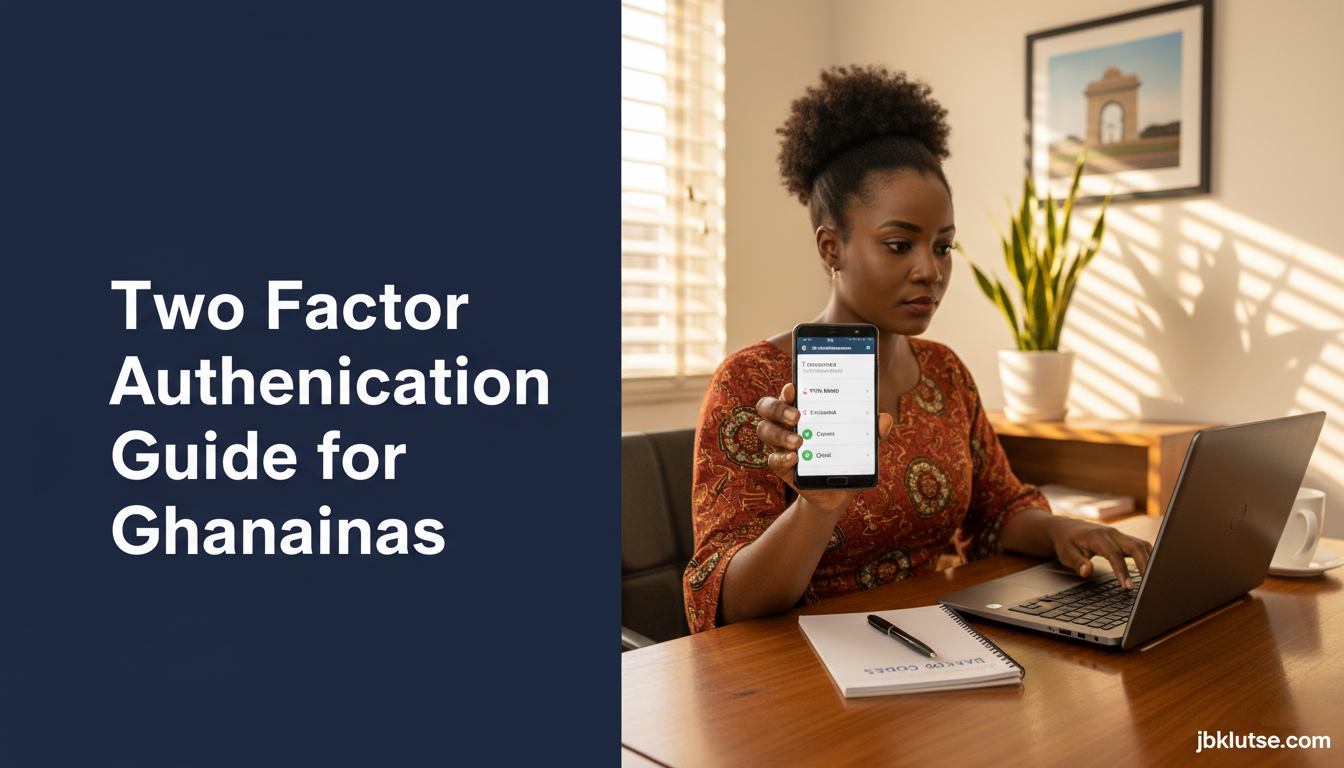
2fa in Ghana is the single most effective tool to stop hackers from draining your mobile money wallet, hijacking your WhatsApp Business account, or locking you out of your email after your password leaks in a data breach. This guide explains what two-factor authentication is, which Ghana-based accounts support it, how to set it up on MTN MoMo, Telecel Cash, major banks, and social platforms, what it costs in data or SMS fees, and which authenticator apps work best when you are in Accra, Kumasi, or anywhere with patchy connectivity.
Table of Contents
- TL;DR
- What Two-Factor Authentication Does
- How 2FA Works in Ghana
- Setting Up 2FA on Your Bank and MoMo Accounts
- MTN Mobile Money
- Telecel Cash
- Ecobank Ghana
- Stanbic Bank Ghana
- Fidelity Bank Ghana
- Setting Up 2FA on Social Media and Email
- Gmail (Google Account)
- Facebook and Instagram
- X (Twitter)
- Best Authenticator Apps for Ghana
- Ghana-Specific Considerations
- SMS Delivery Delays
- SIM Swap Attacks
- Data Costs
- Device Loss and Backup Codes
- FAQs
- Related Reads
- Closing
- Sources
Two-factor authentication (also called 2FA, two-step verification, or multi-factor authentication) adds a second proof of identity after your password. Even if a scammer phishes your password or buys it from a darknet dump, they still cannot log in without the second factor, which lives on your phone or in an app only you control.
TL;DR
- 2FA blocks 99.9% of automated account takeover attacks, even when your password is compromised.
- MTN MoMo, Telecel Cash, Ecobank, Stanbic, and Fidelity Bank all support 2FA via SMS or app tokens.
- Google Authenticator, Microsoft Authenticator, and Authy work offline in Ghana and cost zero cedis after install.
- SMS-based 2FA costs GHS 0.00 to GHS 0.50 per login depending on your telco bundle (April 2026).
- Enable 2FA on Gmail, Facebook, Instagram, WhatsApp, and your bank app before you get hacked, not after.
What Two-Factor Authentication Does
Two-factor authentication requires two separate proofs before granting access to an account. The first factor is something you know (your password). The second factor is something you have (your phone, a hardware key, or an authenticator app).
When you log in from a new device or location, the service sends a six-digit code to your phone via SMS, or you open an authenticator app and type the code it generates. Without that code, the login fails, even if the attacker has your correct password.
This stops credential stuffing (where hackers test stolen username-password pairs from other breaches), phishing (where you accidentally type your password into a fake site), and SIM-swap attacks (though SMS-based 2FA is weaker against SIM swaps than app-based tokens).
How 2FA Works in Ghana
Most Ghanaian banks, fintech apps, and global platforms offer two types of 2FA:
SMS-based 2FA sends a code to your registered mobile number. MTN, Telecel, and AirtelTigo deliver these codes in 5 to 30 seconds under normal network conditions. If you are roaming or your SIM is off, you cannot receive the code.
App-based 2FA (also called TOTP, time-based one-time password) uses an authenticator app on your phone. Google Authenticator, Microsoft Authenticator, Authy, and 2FAS generate six-digit codes that refresh every 30 seconds. These apps work offline, so you can log in even when mobile data is unavailable or expensive.
Some services also support hardware security keys (like YubiKey), but these cost GHS 150 to GHS 400 (April 2026) and are uncommon in Ghana outside corporate IT departments.
Setting Up 2FA on Your Bank and MoMo Accounts
MTN Mobile Money
MTN MoMo uses SMS-based 2FA for high-value transfers and app logins from new devices. When you send more than GHS 500 in a single transaction (April 2026), MTN sends an authorization code to your registered number. You enter the code in the MoMo app to complete the transfer.
Setup: automatic. MTN activates this by default for all MoMo users. Verify your registered number matches your active SIM by dialing *170# > My Account > Profile.
Cost: SMS delivery is free. Standard MTN data or voice bundle rates apply if you use the MoMo app over mobile data.
Telecel Cash
Telecel Cash introduced app-based 2FA in October 2025 via the Telecel SuperApp. You link Google Authenticator or Microsoft Authenticator to your Telecel account inside Settings > Security > Two-Step Verification.
Setup steps:
- Open Telecel SuperApp > Menu > Settings > Security.
- Tap “Enable Two-Step Verification.”
- Choose SMS or Authenticator App. Select Authenticator App for offline access.
- Scan the QR code with Google Authenticator or Microsoft Authenticator.
- Enter the six-digit code to confirm.
- Save the eight-character backup code Telecel displays. Store it in your password manager or write it on paper in a safe place.
Cost: zero cedis if you use an authenticator app. SMS fallback costs GHS 0.00 to GHS 0.20 per code depending on your bundle (April 2026).
Ecobank Ghana
Ecobank Mobile App supports both SMS and app-based 2FA. SMS codes are the default. You can switch to Google Authenticator or Microsoft Authenticator in the app under Security Settings.
Setup: log in to Ecobank Mobile > Settings > Security > Two-Factor Authentication > choose SMS or Authenticator App. Scan QR code if selecting app-based.
Cost: SMS codes cost GHS 0.00 if you have an active SMS bundle, or GHS 0.20 per code on pay-as-you-go (April 2026). Authenticator apps cost zero cedis.
Stanbic Bank Ghana
Stanbic uses hardware tokens (small devices that generate codes) for corporate accounts and SMS-based 2FA for retail customers. The Stanbic Mobile App sends a code to your registered number whenever you log in or approve a transfer above GHS 1,000 (April 2026).
Setup: automatic. Register your correct phone number at any Stanbic branch or via the app’s profile section.
Cost: SMS delivery is free. Data usage inside the app applies standard rates.
Fidelity Bank Ghana
Fidelity Bank rolled out optional 2FA in January 2026. Customers can enable SMS or email codes for logins and transactions.
Setup: log in to Fidelity Online Banking > Profile > Security Options > Enable Two-Factor Authentication. Choose SMS or email. Email is weaker (easier to hack) but works if your phone is lost.
Cost: SMS codes cost GHS 0.00 to GHS 0.30 per code (April 2026). Email codes cost zero cedis.
Setting Up 2FA on Social Media and Email
Gmail (Google Account)
Google Account 2FA (called 2-Step Verification) works with SMS, Google Authenticator, or hardware keys. Google prompts send a notification to your phone instead of a code. This is faster and safer than SMS.
Setup steps:
- Go to myaccount.google.com/security.
- Scroll to “Signing in to Google” > tap “2-Step Verification.”
- Sign in again to confirm your identity.
- Choose your second step: Google prompts (recommended), SMS, or Authenticator app.
- For Authenticator app, tap “Authenticator app” > scan QR code with Google Authenticator or Microsoft Authenticator.
- Enter the code to verify.
- Print or screenshot your backup codes (eight-digit codes you can use if your phone is lost).
Cost: Google prompts and authenticator apps cost zero cedis. SMS codes cost GHS 0.00 to GHS 0.20 per code depending on your telco (April 2026).
Recovery: add a backup phone number and a recovery email. Google sends codes to these if your primary device is unavailable. Store backup codes in your password manager.
Link to full Gmail security guide: Protecting Your Gmail from Hijack.
WhatsApp 2FA (called Two-Step Verification) uses a six-digit PIN you create, not a code sent to your phone. You enter this PIN when registering your number on a new device. This stops SIM-swap hijacks even if an attacker clones your number.
Setup steps:
- Open WhatsApp > Settings > Account > Two-Step Verification > Enable.
- Create a six-digit PIN (do not use 123456 or your birth year).
- Add an email address. WhatsApp uses this to reset your PIN if you forget it.
- Tap Done.
WhatsApp prompts you to re-enter your PIN every 7 days to keep it in memory. If you forget your PIN and did not add an email, you must wait 7 days before you can re-register your number, losing all chat history in the process.
Cost: zero cedis.
Full guide: Secure Your WhatsApp Account.
Facebook and Instagram
Meta (Facebook’s parent company) supports SMS-based 2FA and app-based 2FA for both Facebook and Instagram. You configure these in Settings > Security and Login (Facebook) or Settings > Security > Two-Factor Authentication (Instagram).
Setup (Facebook):
- Go to facebook.com > Settings & Privacy > Settings > Security and Login.
- Scroll to “Use two-factor authentication” > Edit.
- Choose “Authentication app” (recommended) or “Text message.”
- Scan QR code with Google Authenticator or enter phone number for SMS.
- Enter code to confirm.
- Save recovery codes.
Setup (Instagram):
- Open Instagram app > Profile > Menu > Settings > Security > Two-Factor Authentication.
- Tap “Get Started.”
- Choose “Authentication App” or “Text Message.”
- Follow prompts to scan QR code or confirm phone number.
Cost: authenticator apps cost zero cedis. SMS codes cost GHS 0.00 to GHS 0.20 per login (April 2026). Meta’s SMS delivery to Ghana is slower than Google’s (often 30 to 90 seconds).
Instagram business accounts face higher hijack risk. See Instagram Security for Ghanaian Businesses for full setup and recovery workflows.
X (Twitter)
X supports SMS and app-based 2FA. X charges USD 11/month (~GHS 122 at April 2026 rates) for SMS-based 2FA under X Premium, making SMS 2FA expensive for Ghanaian users. Use an authenticator app instead, which costs zero cedis and works for all account tiers.
Setup:
- Go to x.com > Settings and Privacy > Security and Account Access > Security > Two-Factor Authentication.
- Select “Authentication app.”
- Scan QR code with Google Authenticator or Microsoft Authenticator.
- Enter code to enable.
- Screenshot and save backup code.
Cost: zero cedis for app-based 2FA. SMS-based 2FA requires X Premium at USD 11/month (~GHS 122/month at April 2026 rates).
Best Authenticator Apps for Ghana
All four apps below work offline, sync across devices (except Google Authenticator), and cost zero cedis to download.
| App | Offline? | Cloud backup? | Platforms | Ghana rating |
|---|---|---|---|---|
| Google Authenticator | Yes | No (codes stored on device only) | Android, iOS | Best for single-device users |
| Microsoft Authenticator | Yes | Yes (encrypted cloud sync) | Android, iOS | Best for multi-device users |
| Authy | Yes | Yes (encrypted cloud sync) | Android, iOS, desktop | Best for desktop + phone users |
| 2FAS | Yes | Yes (optional encrypted sync) | Android, iOS | Best for privacy-focused users |
Google Authenticator generates codes offline and never syncs to the cloud. If you lose your phone and did not save backup codes for each service, you must contact each service’s support team to regain access. Use this if you only log in from one device and distrust cloud storage.
Microsoft Authenticator syncs codes to your Microsoft account (encrypted). You sign in on a new phone, and all your 2FA tokens reappear. This is the best option if you switch phones often or want automatic backup. Download from Google Play Store or Apple App Store.
Authy syncs codes across your phone, tablet, and desktop computer. Codes appear in a Chrome extension or Windows/Mac app, so you can log in on your laptop without reaching for your phone. Authy requires a phone number for account recovery (via SMS), which is weaker than Microsoft Authenticator’s password-based recovery but still far better than no 2FA.
2FAS is open-source and syncs codes via encrypted cloud storage or local export. Privacy-focused users prefer 2FAS because it never stores your phone number or email. Backup is manual (export QR codes or encrypted file), so it requires more setup effort.
All four apps display codes for 30 seconds. When the timer hits zero, the app generates a new code. Old codes expire immediately and cannot be reused, which stops attackers who intercept a code in transit.
Ghana-Specific Considerations
SMS Delivery Delays
MTN delivers SMS 2FA codes in 5 to 15 seconds during off-peak hours (6am to 10am, 2pm to 5pm). Delays stretch to 30 to 90 seconds during evening peaks (7pm to 10pm) when network congestion is high. Telecel and AirtelTigo match MTN’s speed but have lower coverage in rural areas.
If you live in Kumasi, Takoradi, Tamale, or a district capital with strong 4G, SMS delivery is reliable. If you live in a village with 2G-only coverage, authenticator apps are the better option because they work offline.
SIM Swap Attacks
SIM-swap fraud (where scammers convince your telco to transfer your number to a new SIM card they control) is rising in Ghana. In 2025, the National Communications Authority logged 1,847 SIM-swap fraud reports, up 38% from 2024.
SMS-based 2FA does not protect you from SIM-swap attacks because the attacker receives your SMS codes once they control your number. App-based 2FA (Google Authenticator, Microsoft Authenticator) protects you because codes live on your physical device, not your phone number.
Banks and MoMo providers are adding SIM-swap detection (MTN pauses MoMo for 48 hours after a SIM swap, Ecobank freezes transfers until you visit a branch), but these protections are inconsistent. Use app-based 2FA wherever possible.
Full SIM-swap guide: Cybersecurity pillar hub.
Data Costs
Authenticator apps consume less than 1 MB of data per month (only during initial QR code scans). Logging in with an authenticator app costs zero data because codes generate locally on your device.
SMS 2FA costs GHS 0.00 if you have an active SMS bundle from MTN, Telecel, or AirtelTigo. If you are on pay-as-you-go with no bundle, each code costs GHS 0.10 to GHS 0.30 (April 2026), which adds up if you log in 10 times a week.
For users who cannot afford regular data bundles, SMS 2FA is still better than no 2FA. For everyone else, authenticator apps are the cheapest long-term option.
Device Loss and Backup Codes
If you lose your phone and did not enable cloud sync (Google Authenticator users) or save backup codes, you lose access to every account protected by 2FA. Recovery requires:
- Contacting each service’s support team (Gmail, Facebook, your bank).
- Proving your identity (passport photo, old login locations, transaction history).
- Waiting 3 to 14 days for manual review.
Mandatory backup steps:
- Save backup codes for Gmail, Facebook, Instagram, and your bank in a password manager or on paper in a fireproof safe.
- Enable cloud sync in Microsoft Authenticator or Authy.
- Add a backup phone number and recovery email to every critical account.
If you get a new phone, transfer your authenticator app before wiping the old device. Microsoft Authenticator and Authy sync automatically when you sign in. Google Authenticator requires manual QR code re-scanning for each service.
FAQs
What is 2FA and why do I need it in Ghana?
2FA (two-factor authentication) requires two proofs of identity before granting access to your account. The first is your password, the second is a code sent to your phone or generated by an app. You need 2FA because password leaks, phishing, and SIM-swap fraud are common in Ghana. 2FA blocks 99.9% of automated account takeovers even when your password is stolen.
Does 2FA cost money in Ghana?
SMS-based 2FA costs GHS 0.00 to GHS 0.30 per code depending on your telco bundle (April 2026). App-based 2FA (Google Authenticator, Microsoft Authenticator) costs zero cedis after the initial app download. Authenticator apps work offline and never consume mobile data during login.
Which is safer, SMS 2FA or app-based 2FA?
App-based 2FA is safer because codes generate on your device and cannot be intercepted during SIM-swap attacks. SMS 2FA is weaker (attackers who control your phone number receive your codes), but still 1,000 times better than no 2FA. Use app-based 2FA for Gmail, social media, and your bank. Use SMS 2FA only if the service does not support authenticator apps.
What happens if I lose my phone and cannot access my 2FA codes?
If you lose your phone and did not save backup codes or enable cloud sync, you must contact each service’s support team to regain access. Gmail requires 3 to 5 days for manual review. Banks require branch visits with your ID. WhatsApp locks your number for 7 days unless you saved your recovery email. Always save backup codes in a password manager or on paper before you need them.
Can I use 2FA without mobile data?
Yes. Authenticator apps (Google Authenticator, Microsoft Authenticator, Authy, 2FAS) generate codes offline. You do not need an internet connection to log in. SMS-based 2FA requires cellular signal but not data.
How do I enable 2FA on my Ecobank account?
Open Ecobank Mobile App, go to Settings > Security > Two-Factor Authentication, choose SMS or Authenticator App, scan the QR code with Google Authenticator if selecting app-based, enter the code to confirm, and save your backup code. Full guide: Account Security.
Is 2FA required by law in Ghana?
No. The Bank of Ghana and National Communications Authority recommend 2FA for banks and MoMo providers but do not legally require it for consumers. Some banks (Stanbic, Fidelity) make 2FA mandatory for transactions above GHS 1,000 (April 2026). Most social media platforms (Gmail, Facebook, WhatsApp) make 2FA optional but strongly encouraged.
What is the best authenticator app for Ghana?
Microsoft Authenticator is the best overall choice for Ghanaian users because it syncs codes across devices via encrypted cloud backup, works offline, and costs zero cedis. Google Authenticator is simpler but does not sync. Authy works on desktop computers. 2FAS is best for privacy-focused users. All four apps are free and work reliably in Ghana.
Related Reads
- Zoom out: understand the broader threats at Cybersecurity
- Topic hub: see all account protection guides at Password and Account Security
- Related deep-dives:
- Best Password Managers for Ghana (store backup codes securely)
- Secure Your WhatsApp Account (WhatsApp-specific 2FA setup)
- Facebook Account Recovery in Ghana (what to do if 2FA fails)
- What to Do If Your Email Is Hacked (post-breach recovery)
Closing
Two-factor authentication is no longer optional in 2026. Whether you bank with Ecobank, run a business on Instagram, or trade on MTN MoMo, 2FA is the difference between keeping your account and losing it to a hacker in Accra or Lagos who bought your password for USD 2 (~GHS 22 at April 2026 rates) on the darknet. Enable app-based 2FA today on your three most critical accounts (email, bank, MoMo), save your backup codes, and sleep better knowing your money and data are protected.
Follow our updates on X at @jbklutsemedia.
Sources
- National Communications Authority (NCA), “2025 SIM Swap Fraud Report,” published January 2026, nca.org.gh
- MTN Ghana, “MoMo Security Features,” accessed April 2026, mtn.com.gh/momo-security
- Telecel Ghana, “SuperApp Two-Step Verification Guide,” published October 2025, telecelghana.com
- Google Account Help, “Turn on 2-Step Verification,” support.google.com
- Meta Security Center, “Two-Factor Authentication,” facebook.com/help
- Ecobank Ghana, “Security Settings Documentation,” accessed April 2026, internal app documentation
- Stanbic Bank Ghana, “Customer Security Guidelines,” published February 2026, branch handout