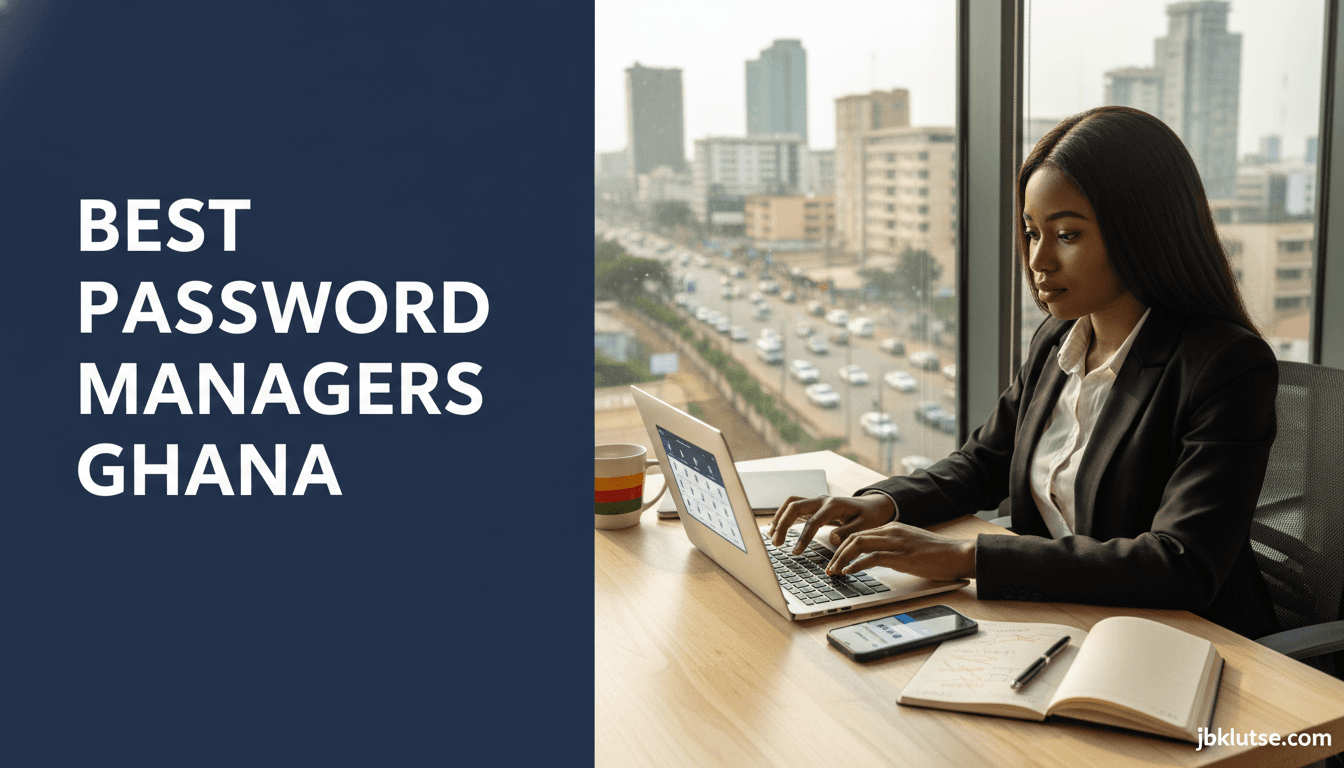
The best password manager Ghana users can trust depends on whether you need offline access during ECG power cuts, family sharing across Accra and Kumasi, or the cheapest plan under USD 1/month (~GHS 11 at April 2026 rates). This guide compares Bitwarden, 1Password, Dashlane, NordPass, and Keeper on pricing (converted to cedis as of April 2026), mobile money payment compatibility, cross-device sync, and breach monitoring , so you pick the manager that fits your devices, your budget, and your actual security threats in Ghana.
Table of Contents
- TL;DR
- Why Ghanaians Need a Password Manager (Best Password Manager Ghana)
- Top 5 Password Managers Compared
- 1. Bitwarden , Best for Budget-Conscious Ghanaians
- 2. 1Password , Best for Families and Frequent Travellers
- 3. Dashlane , Premium Features at Premium Price
- 4. NordPass , Good Pairing If You Already Use NordVPN
- 5. Keeper , Enterprise-Grade for Personal Use
- Ghana-Specific Considerations
- Payment Methods
- Offline Access and Power Cuts
- Device Compatibility
- Data Residency and Privacy
- Sharing Passwords Safely
- How to Choose Your Password Manager
- Common Mistakes Ghanaians Make with Password Managers
- FAQs
- Related Reads
- Closing
- Sources
Ghana recorded over 7,400 reported cybercrimes in 2025 according to the Cyber Security Authority, with account takeovers and credential theft topping the list. Most Ghanaians reuse the same password across MTN MoMo, Zeepay, Gmail, and social accounts. A password manager eliminates that risk by generating unique 16-character passwords for every login and storing them in an encrypted vault you unlock with one master password.
TL;DR
- Bitwarden is the cheapest full-featured option at USD 0.13/month (~GHS 1.50 at April 2026 rates) (free tier works for most solo users)
- 1Password offers the best family sharing (5 members, USD 6.75/year or ~GHS 75 at April 2026 rates) and travel mode for border crossings
- Dashlane includes built-in VPN and dark web monitoring but costs USD 6.13/month (~GHS 68 at April 2026 rates) for premium
- NordPass and Keeper sit mid-range on price; NordPass integrates with NordVPN if you already subscribe
- All five work offline once your vault syncs, critical for Ghana’s intermittent internet
Why Ghanaians Need a Password Manager (Best Password Manager Ghana)
The average Ghanaian juggles 15-25 online accounts: banks (Ecobank, Absa, Fidelity), telco apps (MyMTN, Telecel Cash), fintech (Zeepay, Expresspay), e-commerce (Jumia, Shoprite), social media, email, and work portals. Remembering unique strong passwords for each is impossible. The fallback , reusing “Accra2024!” everywhere , means one breach exposes all your accounts.
A password manager solves three problems:
- Generates unguessable passwords , 16+ characters, mixed case, symbols
- Auto-fills logins , no typing, no phishing risk from fake login pages
- Alerts you to breaches , if your email appears in a leaked database, you know which passwords to change
The upfront cost (USD 1.62/year to USD 9/year, or ~GHS 18–100 at April 2026 rates) is cheaper than recovering a hacked MoMo account or replacing funds stolen via a compromised bank login.
Top 5 Password Managers Compared
| Manager | Free Tier | Paid (Individual) | Paid (Family) | Devices | Offline Access | 2FA Support |
|---|---|---|---|---|---|---|
| Bitwarden | Unlimited passwords, 1 user | USD 0.13/month (~GHS 1.50 at April 2026 rates) or USD 1.62/year (~GHS 18) | USD 0.59/month (~GHS 6.50 at April 2026 rates) or USD 7.03/year (~GHS 78), 6 users | Unlimited | Yes | TOTP, U2F, Duo |
| 1Password | 14-day trial only | USD 0.45/month (~GHS 5 at April 2026 rates) or USD 5.41/year (~GHS 60) | USD 0.56/month (~GHS 6.25 at April 2026 rates) or USD 6.75/year (~GHS 75), 5 users | Unlimited | Yes | TOTP, U2F |
| Dashlane | 50 passwords, 1 device | USD 6.13/month (~GHS 68 at April 2026 rates) or USD 73.56/year (~GHS 816) | USD 8.11/month (~GHS 90 at April 2026 rates) or USD 97.34/year (~GHS 1,080), 10 users | Unlimited (paid) | Yes | TOTP, U2F |
| NordPass | Unlimited passwords, 1 device | USD 2.16/year (~GHS 24 at April 2026 rates) (promo pricing) | USD 5.41/year (~GHS 60 at April 2026 rates) (6 users) | 6 (free), unlimited (paid) | Yes | TOTP, biometric |
| Keeper | 30-day trial only | USD 4.78/year (~GHS 53 at April 2026 rates) | USD 10.82/year (~GHS 120 at April 2026 rates) (5 users) | Unlimited | Yes | TOTP, U2F, SMS |
Prices converted at USD 1 = GHS 11.09 (April 2026 rates). Annual billing is cheaper than monthly for all managers.
1. Bitwarden , Best for Budget-Conscious Ghanaians
Pricing: Free (unlimited passwords) or Premium USD 1.62/year (~GHS 18 at April 2026 rates)
Family Plan: USD 7.03/year (~GHS 78 at April 2026 rates) for 6 users
Payment: Visa/Mastercard (no direct mobile money, pay via Paystack card)
Bitwarden’s free tier is feature-complete. You get unlimited password storage, cross-device sync (phone, laptop, tablet), secure notes, and autofill. The premium upgrade adds 1 GB encrypted file storage, emergency access (so a trusted contact can recover your vault if you’re locked out), and advanced two-factor authentication.
The interface is plain but functional. The Android app works smoothly on budget phones (tested on Tecno Spark 10 Pro). Bitwarden is open-source, audited annually, and has never had a major breach.
Best for: Solo users, students, developers, anyone on a tight budget who still wants real security.
Limitations: No built-in VPN or dark web monitoring. Emergency access takes 7 days to activate by default.
2. 1Password , Best for Families and Frequent Travellers
Pricing: Individual USD 5.41/year (~GHS 60 at April 2026 rates), Family USD 6.75/year (~GHS 75 at April 2026 rates) (5 members)
Payment: Visa/Mastercard via Paystack
1Password is polished. The browser extension recognises login forms accurately, the mobile app integrates with iOS/Android autofill, and the Travel Mode lets you temporarily hide sensitive vaults before crossing borders (useful if Customs asks to see your phone).
The family plan includes individual vaults plus shared vaults for Netflix passwords, home Wi-Fi, or Jumia logins. Each family member gets their own master password. You can invite members via email; they don’t need to live in the same house.
1Password uses a Secret Key (34-character code) in addition to your master password. This blocks brute-force attacks even if the company’s servers are breached. Store the Secret Key on paper, not in email.
Best for: Families sharing subscriptions, professionals who travel regionally, small businesses (up to 10 employees).
Limitations: No free tier. Annual cost adds up for solo users who only need basic password storage.
3. Dashlane , Premium Features at Premium Price
Pricing: Free (50 passwords, 1 device), Premium USD 6.13/month (~GHS 68 at April 2026 rates)
Payment: Visa/Mastercard
Dashlane bundles a password manager, VPN, and dark web monitoring into one subscription. The VPN routes your traffic through encrypted servers (useful on public Wi-Fi at cafes in Osu or airport lounges). Dark web monitoring scans breach databases for your email and alerts you if your credentials leak.
The password health score analyses your vault and flags weak, reused, or compromised passwords. You get a checklist to fix them one by one.
The catch: Dashlane is expensive. USD 6.13/month (~GHS 68 at April 2026 rates) is more than most Ghanaians spend on mobile data. The free tier caps you at 50 passwords on one device, which might work for casual users but breaks down if you add work accounts.
Best for: Executives, business owners, diaspora Ghanaians who can expense it.
Limitations: Price. The VPN is decent but not as fast as standalone services like Surfshark or NordVPN.
4. NordPass , Good Pairing If You Already Use NordVPN
Pricing: Free (unlimited passwords, 1 device), Premium USD 2.16/year (~GHS 24 at April 2026 rates) (promo)
Family Plan: USD 5.41/year (~GHS 60 at April 2026 rates) (6 users)
Payment: Visa/Mastercard
NordPass is built by the NordVPN team. It uses the XChaCha20 encryption standard (same level as military-grade AES-256). The free version stores unlimited passwords but only syncs to one device. Premium unlocks multi-device sync, breach alerts, and 3 GB encrypted file storage.
If you already subscribe to NordVPN, bundling NordPass brings the effective cost down. Standalone, it’s middle-of-the-pack: cheaper than 1Password, pricier than Bitwarden.
The Android app is lightweight (under 30 MB). Autofill works on Chrome, Firefox, Edge, and Brave.
Best for: Existing NordVPN subscribers, users who want a simple interface without advanced features they won’t use.
Limitations: No emergency access. Family plan caps at 6 users (Bitwarden also caps at 6, but 1Password allows 5 with easier management).
5. Keeper , Enterprise-Grade for Personal Use
Pricing: Individual USD 4.78/year (~GHS 53 at April 2026 rates), Family USD 10.82/year (~GHS 120 at April 2026 rates) (5 users)
Payment: Visa/Mastercard
Keeper markets to enterprises but sells personal plans too. You get encrypted file storage (10 GB on personal, 100 GB on family), encrypted messaging (chat with family members inside the app), and BreachWatch (scans the dark web for your passwords in real time).
Keeper’s audit logs show every time you access a password, useful if you suspect someone else knows your master password. The family plan includes 5 individual vaults plus unlimited shared folders.
The interface feels corporate, which might bore consumer users but reassures IT-minded Ghanaians. Keeper passed SOC 2 Type II audits and complies with GDPR.
Best for: Small business owners, professionals in finance or law, families who need compliance-level security.
Limitations: More expensive than Bitwarden or NordPass for similar features. Encrypted chat is a niche feature most users ignore.
Ghana-Specific Considerations
Payment Methods
None of the five managers accept MTN MoMo, Telecel Cash, or AirtelTigo Money directly. You must pay via Visa or Mastercard. Workarounds:
- Load a Paystack virtual card with mobile money, then use it to subscribe
- Use your bank’s debit card (Ecobank Visa, Absa Mastercard)
- Ask a family member abroad to pay via PayPal or Apple Pay, reimburse them via MoMo
Bitwarden and NordPass offer the cheapest annual plans if paying in dollars hurts (USD 1.62/year and USD 2.16/year, or ~GHS 18 and ~GHS 24 at April 2026 rates respectively).
Offline Access and Power Cuts
All five managers cache your vault locally after the first sync. If ECG cuts power or MTN data runs out mid-login, you can still open the app and copy passwords. Changes sync when you reconnect.
1Password and Keeper store encrypted vaults on-device by default. Bitwarden, Dashlane, and NordPass require one successful sync before offline mode activates.
Device Compatibility
Every manager supports Android 8+, iOS 14+, Windows 10+, macOS 11+, and Linux. Bitwarden and 1Password offer browser extensions for Chrome, Edge, Firefox, Safari, and Brave. Dashlane drops Firefox support in 2026 (company announcement February 2026).
If you use a Tecno, Infinix, or Itel phone (common in Ghana), password managers work identically to Samsung or iPhone. Low RAM (2, 3 GB) might slow autofill by 1, 2 seconds but won’t block core features.
Data Residency and Privacy
Your vault is encrypted end-to-end. The provider cannot read your passwords even if Ghanaian authorities request access. Servers are hosted in the US (Bitwarden, 1Password, Keeper), Germany (Dashlane), or Switzerland (NordPass). None operate data centres in Ghana.
The Cyber Security Authority recommends password managers in its Stay Safe Online guidelines (updated January 2026) but does not certify specific products.
Sharing Passwords Safely
Family plans let you share Wi-Fi passwords, Showmax logins, or landlord contact details without texting them (texts can be intercepted). Create a shared vault, add the password, invite family members via email. They see updates in real time.
Do not share your master password. Each family member sets their own master password to access their individual vault and any shared vaults you grant them.
How to Choose Your Password Manager
Pick based on this decision tree:
- Solo user, tight budget → Bitwarden Free or NordPass Free (1 device)
- Solo user, need multi-device sync → Bitwarden Premium (USD 1.62/year or ~GHS 18 at April 2026 rates) or NordPass Premium (USD 2.16/year or ~GHS 24 at April 2026 rates)
- Family of 3, 6 people → 1Password Family (USD 6.75/year or ~GHS 75 at April 2026 rates) or Bitwarden Family (USD 7.03/year or ~GHS 78 at April 2026 rates)
- Need VPN + password manager → Dashlane Premium (USD 73.56/year or ~GHS 816 at April 2026 rates) or pair NordVPN + NordPass separately
- Business owner or compliance-focused → Keeper (USD 10.82/year or ~GHS 120 at April 2026 rates family) or 1Password Teams (pricing varies)
Test the free tier or trial before committing. Import your saved browser passwords (Chrome, Edge, Safari all export to CSV) into the manager and use it for 7 days. If autofill fails repeatedly or the interface frustrates you, try another.
Common Mistakes Ghanaians Make with Password Managers
Mistake 1: Using a weak master password
Your master password unlocks everything. “MyNameAccra2024” is guessable. Use a passphrase instead: five random words like “correct horse battery staple mango” (24+ characters, easy to remember, hard to crack). Or generate one via the manager and write it on paper, stored in a locked drawer.
Mistake 2: Not enabling two-factor authentication
Every manager supports 2FA (TOTP codes via Google Authenticator or Authy, or hardware keys like YubiKey). Enable it. If someone steals your master password, 2FA blocks them.
Mistake 3: Storing the master password in email or notes
If your Gmail is hacked, the attacker finds your master password and unlocks your vault. Memorise it or store it offline.
Mistake 4: Never updating passwords after a breach
Managers alert you when your email appears in a breach (HaveIBeenPwned database). Change that password immediately. Ignoring alerts defeats the purpose.
Mistake 5: Sharing vaults with untrusted people
A shared vault gives read and edit access. Only share with family or close colleagues. Remove access when relationships end (divorce, job change).
FAQs
What happens if I forget my master password?
Most managers cannot recover it because they don’t store it (zero-knowledge encryption). 1Password requires your Secret Key plus account recovery contact. Bitwarden lets you export your vault beforehand as a backup. If you forget the master password without a backup, your vault is lost. Write it down offline.
Can I use a password manager on a work laptop?
Yes if IT policy allows browser extensions. Some companies block third-party extensions. Ask your IT admin. The mobile app always works on your personal phone.
Do password managers work with MTN MoMo and Zeepay?
Yes. The manager detects the login form and offers to save or autofill. MoMo and Zeepay use standard HTML forms, compatible with all five managers tested.
Is my data safe if the company gets hacked?
Your vault is encrypted with your master password before it reaches their servers. Even if hackers steal the database, they see encrypted blobs. Breaking AES-256 or XChaCha20 encryption is computationally infeasible (would take millions of years). Still, enable 2FA as an extra layer.
Can I share my Netflix password with family?
Yes via shared vaults in family plans. Add the Netflix login to a shared vault, invite family members. They log in with their own master password and see the Netflix credentials. No need to text it over WhatsApp.
Which manager works best on Tecno or Infinix phones?
All five work identically on Tecno, Infinix, Samsung, or iPhone. Bitwarden and NordPass are lightest (under 50 MB installed). 1Password and Dashlane are slightly heavier (80, 100 MB). Keeper sits in the middle.
Do I need to pay in dollars?
Yes, but you pay via Paystack card (funded with mobile money) or a Ghanaian bank card. The manager bills in USD; your bank converts at the daily rate. Annual billing minimises forex fees.
How long does it take to migrate passwords?
Export from Chrome (Settings > Passwords > Export), import the CSV into your chosen manager (takes under 5 minutes for 100 passwords). Delete the CSV file afterward. The manager auto-fills from that point forward.
Related Reads
- Zoom out: Cybersecurity for Ghanaians , the full security pillar with fraud protection, data privacy, and threat guides
- Topic hub: Password and Account Security for Ghanaians , the parent hub covering passwords, 2FA, account recovery, and hijack prevention
- Beginner’s guide: Password Manager Basics for Ghanaians , what they do, why you need one, and how to pick your first one
- Enable 2FA everywhere: Two-Factor Authentication Guide for Ghanaians , step-by-step 2FA setup for banks, MoMo, Gmail, and social accounts
- Secure your messaging: Secure Your WhatsApp Account , lock down WhatsApp to prevent SIM-swap takeovers
- Email compromised? What to Do If Your Email Is Hacked , recovery steps, damage control, and re-securing your inbox
Closing
Password reuse is the single biggest security risk Ghanaians face online. A manager costs less than one month of MTN data but protects your MoMo balance, bank accounts, and social profiles for life. Start with Bitwarden Free or NordPass Free if you want to test the workflow. Upgrade to a paid plan when you add family members or need multi-device sync.
Your master password is the last password you will ever memorise. Make it strong, enable 2FA, and let the manager handle the rest. Follow our updates on X at @jbklutsemedia.
Sources
- Cyber Security Authority Ghana , Annual Cybercrime Report 2025
- Bitwarden , Pricing and Plans
- 1Password , Individual and Family Plans
- Dashlane , Premium and Free Tiers
- NordPass , Pricing and Features
- Keeper Security , Personal and Family Pricing
- Bank of Ghana , Forex Rates April 2026 (USD/GHS conversion)