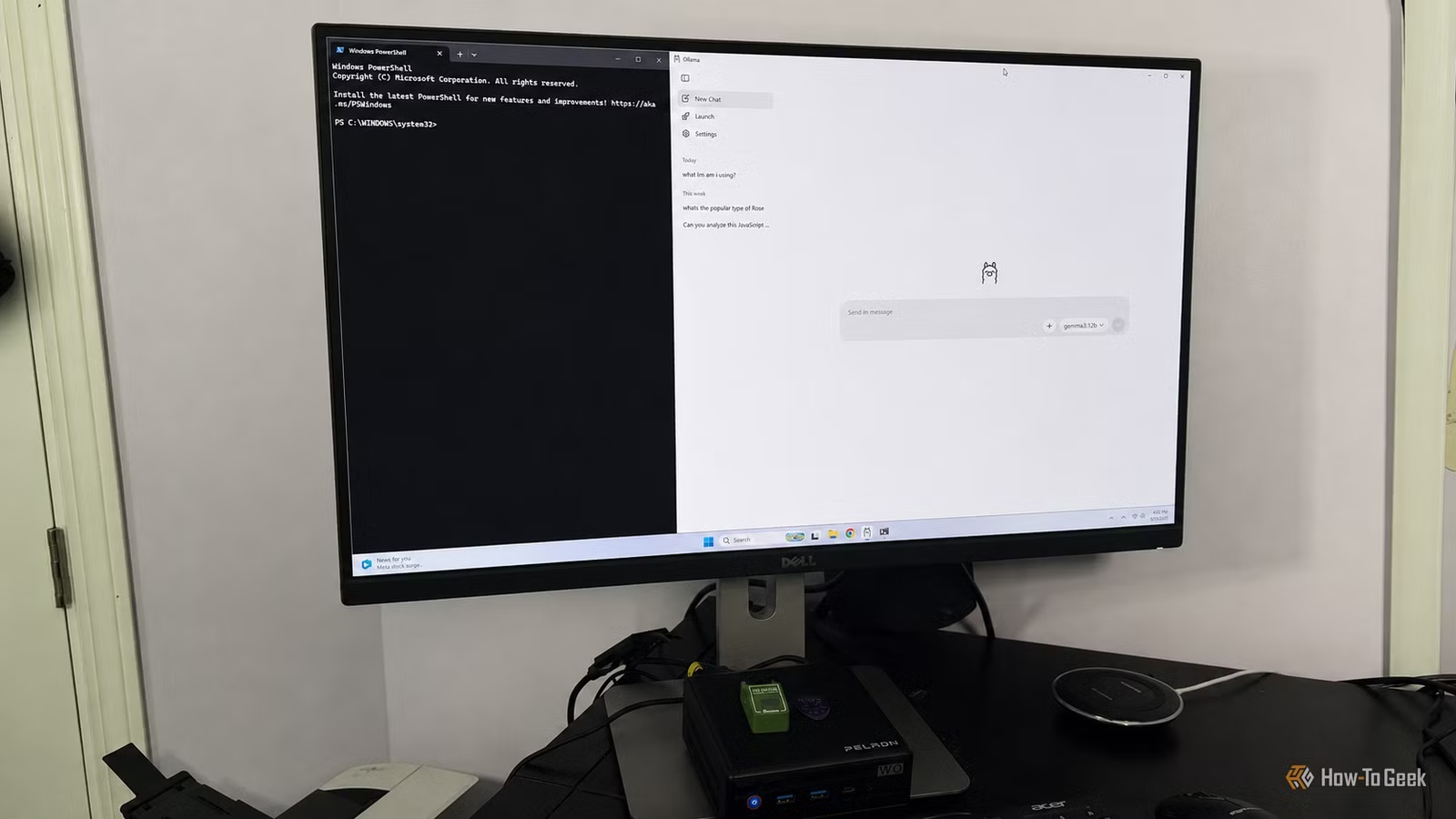
If you’ve watched ChatGPT and other cloud AI tools blow up but worried about the cost, privacy, or needing constant internet, there’s a quieter shift happening: you can now run decent AI directly on your computer for free. An app called Ollama has made that more approachable for regular people, not just coders.
Here’s what matters for you: Ollama is a free, open-source app that lets you download AI models and run them locally on your PC. No subscription. No sending your private notes to cloud servers. No waiting for your data bundle to run out because you asked ChatGPT too many questions.
Why This Matters for Ghana
Ghana has two problems Ollama helps solve. First, internet costs. If you’re paying for data, every ChatGPT query eats into your bundle. Second, privacy. Many users are understandably cautious about what gets uploaded when you use cloud tools.
Ollama runs everything on your machine. No uploads. No monthly bills. That’s a real shift.
The Setup Is Shockingly Simple
The biggest surprise from early users: it actually feels like installing regular software, not wrestling with command-line tools. You download the app, pick a model from a menu, and start typing. No PowerShell nightmares. No six-step documentation hunts.
That said, your hardware matters. A modern laptop with decent specs works fine. An older PC might struggle depending on the model you choose. One reviewer tested it on a mini-PC and got usable results with Gemma 3:12B, though responses came slower than ChatGPT.
What It’s Actually Good For
Ollama excels at everyday tasks: drafting emails, summarizing notes, brainstorming ideas, cleaning up text, comparing options. Tasks where you don’t need the latest information (so no news summaries or current events) and where speed isn’t critical.
It’s not replacing ChatGPT for heavy-duty reasoning, coding, or anything needing real-time web access. But for a quick outline, a rewrite, or working through rough ideas without hitting “send” to a cloud server, it’s genuinely useful.
The Catch
You need to match your model to your hardware. A powerful gaming PC can run bigger, smarter models. An older laptop needs a lightweight one. That takes a bit of research, but it’s not rocket science. And unlike cloud AI, if your computer doesn’t have enough memory or processing power, Ollama will be slow—but it’ll still work.
What You Should Do
If you’re curious, download Ollama and try the Gemma 3 model (free). It’s a 30-minute experiment that could save you money and privacy headaches. If your PC is older or has limited memory, check the system requirements first.
This doesn’t kill the need for cloud AI tools like ChatGPT. But it gives you a private, free option for the everyday stuff. That’s worth knowing about.

Leave a Reply