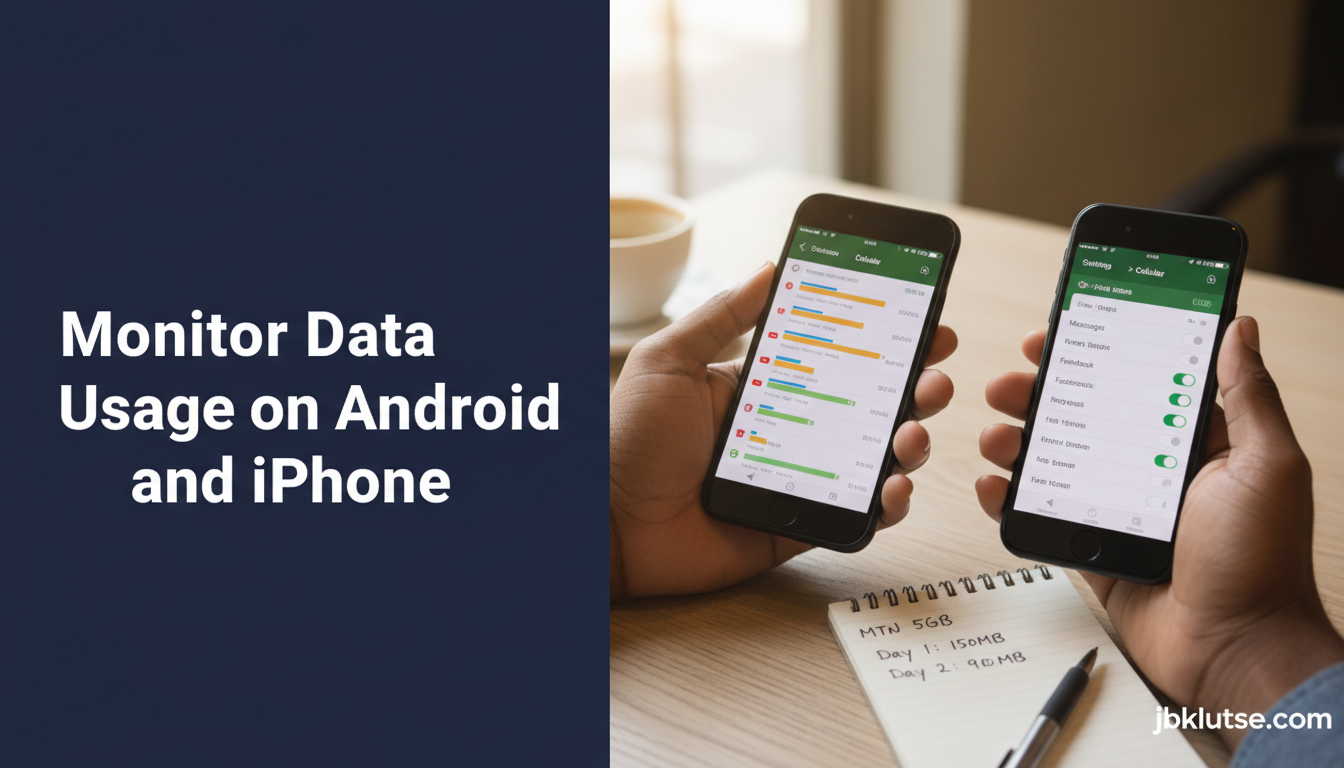
Setting up a data usage monitor on your Android or iPhone means you’ll know exactly how many megabytes TikTok, WhatsApp, and Chrome burn through before your MTN, Telecel, or AirtelTigo bundle expires, so you stop buying emergency top-ups at GHS 5 per 100 MB (April 2026) when you could have stretched a weekly plan instead. This guide walks you through the native Android and iOS tracking tools, shows you how to set warning thresholds, and explains why checking your telco’s USSD balance daily still matters in Ghana where background sync can drain 500 MB overnight without your knowledge.
Table of Contents
- TL;DR
- Why Monitoring Matters in Ghana
- Built-In Android Data Monitoring
- Step-by-Step Setup on Android
- Android Data Saver Mode
- Built-In iPhone Data Monitoring
- Step-by-Step Setup on iPhone
- Low Data Mode (iOS 13+)
- Cross-Checking with Telco USSD Codes
- Third-Party Data Monitoring Apps
- GlassWire (Android)
- My Data Manager (Android & iOS)
- Datally by Google (Android, discontinued but still works)
- Common Data Drains You Miss
- Auto-Play Videos on Facebook and Twitter
- Cloud Photo Backup
- App Updates
- Location Services
- System Updates
- Setting Realistic Monitoring Thresholds
- Ghana-Specific Considerations
- Telco Bundle Expiry vs. Phone Cycle Reset
- Dual-SIM Usage
- Public Wi-Fi Security
- Retailer Pre-Activation Tricks
- FAQs
- Related Reads
- Closing
- Sources
Most Ghanaian smartphone users discover they’ve exhausted their data only when apps stop loading or a USSD check returns “Balance: GHS 0.00.” By then, you’ve already overspent. The tools covered here let you intercept that problem two days earlier, when you still have 200 MB left and can adjust your streaming habits or switch to Wi-Fi at home.
TL;DR
- Android’s built-in Data Saver and iOS Settings > Cellular give real-time per-app breakdowns
- Set usage warnings at 80% of your bundle size to avoid surprise depletion
- Cross-check native phone stats with your telco’s USSD code daily (MTN 170#, Telecel 100#, AirtelTigo *100#) because phone counters reset monthly but bundles expire on different cycles
- Third-party apps like GlassWire and My Data Manager add Wi-Fi tracking and historical graphs
- Background data from auto-updates, location sync, and cloud backup is the silent killer, disable it per-app for non-essentials
Why Monitoring Matters in Ghana
Ghana’s data pricing in 2026 averages GHS 1.20 to GHS 2.50 per gigabyte when you buy weekly or monthly bundles. Emergency top-ups cost GHS 5 per 100 MB (April 2026), which works out to GHS 50 per gigabyte, a 25× penalty. Missing your bundle expiry by one day and streaming a single YouTube video on out-of-bundle rates can cost you GHS 8 (April 2026) in overage charges.
MTN Ghana, Telecel Ghana, and AirtelTigo all throttle speeds once you exhaust a bundle, but they don’t always block background sync immediately. Your phone keeps trying to upload photos to Google Photos or download app updates over the throttled connection, which racks up tiny charges that compound. A monitoring system stops this before it starts.
Built-In Android Data Monitoring
Android 10 and newer include a Data Usage dashboard under Settings > Network & Internet > Data Usage. This screen shows:
- Total mobile data consumed in the current billing cycle
- Per-app breakdown in descending order by consumption
- A graph plotting daily usage over the last 30 days
- Options to set a data warning threshold and a hard limit
Step-by-Step Setup on Android
- Open Settings > Network & Internet > Data Usage (path varies slightly by manufacturer, Samsung calls it Settings > Connections > Data Usage).
- Tap Mobile Data Usage to see the per-app list.
- Tap the gear icon (top-right) and select Billing Cycle. Set this to match your bundle purchase date. If you buy a weekly MTN bundle every Monday, set the cycle to reset on Monday.
- Enable Set Data Warning. Enter 80% of your bundle size in MB. For a 5 GB weekly bundle, set the warning at 4,000 MB (4 GB).
- Enable Set Data Limit and enter your full bundle size (5,000 MB for a 5 GB plan). Android will block mobile data once you hit this threshold. You can disable the block manually to use out-of-bundle data if needed, but the pop-up reminder is the point.
- Scroll down in the app list and tap high-consumption apps. Toggle Background Data off for any app you don’t need updating in the background (games, shopping apps, news apps you only open manually).
Android’s counter resets on your chosen billing cycle day. It does NOT know when your telco bundle actually expires. If you buy a 7-day bundle on Wednesday at 3 PM, it expires the following Wednesday at 3 PM, but Android’s cycle resets at midnight. You must manually check your telco balance via USSD to reconcile the two.
Android Data Saver Mode
Android includes a system-wide Data Saver toggle under Settings > Network & Internet > Data Saver. When enabled:
- Background data is blocked for all apps except those you whitelist
- Foreground apps are limited in how much data they can request (images load at lower resolution, videos default to 480p)
- System services delay updates until you connect to Wi-Fi
Data Saver is a blunt instrument. It will break apps that expect constant sync (banking apps, ride-hailing apps). Enable it when you’re down to your last 500 MB and need to stretch it for two more days, then whitelist the 3 to 4 apps you genuinely need real-time (WhatsApp, Google Maps, your bank).
Built-In iPhone Data Monitoring
iOS tracks cellular data under Settings > Cellular (or Settings > Mobile Data depending on region). The interface is simpler than Android’s but functionally equivalent.
Step-by-Step Setup on iPhone
- Open Settings > Cellular.
- Scroll down past the carrier information to the Cellular Data section. You’ll see a list of apps with toggles next to each.
- Apps with the toggle ON can use cellular data. Apps with it OFF are Wi-Fi only. Disable cellular access for games, social media you only want to use on Wi-Fi, and any app you haven’t opened in a week.
- Scroll to the bottom and tap Reset Statistics. This zeroes the counter. iOS does not auto-reset on a billing cycle, you must do this manually each time you buy a new bundle.
- Check the Current Period total daily. When it approaches your bundle limit (say, 4.2 GB out of a 5 GB MTN bundle), turn off cellular data for non-essential apps.
iOS does NOT have a built-in data limit or warning system. You rely on manual checks or third-party apps for alerts.
Low Data Mode (iOS 13+)
iOS includes Low Data Mode under Settings > Cellular > Cellular Data Options > Low Data Mode (toggle on). When active:
- Automatic app updates pause
- Background app refresh stops
- Photos stop uploading to iCloud
- Streaming quality drops to standard definition
- FaceTime uses lower video resolution
Low Data Mode is less aggressive than Android’s Data Saver but still effective. Turn it on when you’re below 1 GB and need to preserve what’s left. Unlike Android, you cannot whitelist apps, it’s all-or-nothing.
Cross-Checking with Telco USSD Codes
Your phone’s counter is an estimate. The authoritative balance lives on your telco’s billing system. Check daily with these codes:
| Telco | USSD Code | What It Shows |
|---|---|---|
| MTN Ghana | *170# | Data balance, expiry date, active bundles |
| Telecel Ghana | *100# | Main balance menu, select “Data Balance” |
| AirtelTigo | *100# | Balance menu, select “Check Data Balance” |
If your phone says 2.1 GB used but MTN’s USSD shows 2.8 GB used, trust the USSD. The discrepancy comes from background system traffic (Android’s Google Play Services, iOS’s push notifications) that your phone doesn’t always attribute to a visible app.
Third-Party Data Monitoring Apps
If you want more granular control, historical graphs, or Wi-Fi usage tracking, install a third-party app. Top options for Ghana:
GlassWire (Android)
Free tier: real-time monitoring, per-app graphs, alerts when you approach limits. Pro tier: USD 1.62 one-time via Play Store (~GHS 18 at April 2026 rates) — firewall that blocks specific apps from internet access per network type (cellular vs. Wi-Fi).
GlassWire’s killer feature is the firewall. You can allow WhatsApp on cellular but block Instagram until you’re on Wi-Fi, which is more precise than Android’s background data toggle.
My Data Manager (Android & iOS)
Free. Tracks cellular and Wi-Fi separately, supports multiple SIM cards (useful if you run MTN on SIM 1 and Telecel on SIM 2), shows hourly usage spikes so you can identify which 3 PM TikTok binge burned 800 MB.
The app lets you set custom billing cycles per SIM. If your MTN bundle renews every Monday and your Telecel bundle renews on the 15th of each month, you can track both independently.
Datally by Google (Android, discontinued but still works)
Google discontinued Datally in 2021 but the APK still functions on Android 10 and older. It included a “Find Wi-Fi” feature that mapped free hotspots in Accra and Kumasi. If you still have it installed, it works. New users should skip it and use GlassWire or My Data Manager.
Common Data Drains You Miss
Your monitoring setup is useless if you don’t know what to monitor. These are the silent killers in Ghana:
Auto-Play Videos on Facebook and Twitter
Facebook defaults to auto-playing videos on cellular. A 2-minute video at 720p is 40 MB. Scroll past 10 in a session, that’s 400 MB gone. Disable under Facebook > Settings > Media > Video and Photo Settings > Autoplay > Never Autoplay Videos. On Twitter (X), go to Settings > Data Usage > Video Autoplay > Never.
Cloud Photo Backup
Google Photos and iCloud Photos upload full-resolution images over cellular by default if you enabled “Backup & Sync.” A single 12-megapixel photo from a recent Samsung or iPhone is 3 to 5 MB. Take 50 photos at a wedding, that’s 200 MB uploaded in the background while you sleep. Disable cellular upload under Google Photos > Settings > Back Up & Sync > toggle off, then manually back up when on Wi-Fi.
App Updates
Google Play and the App Store download updates automatically. A single WhatsApp update is 60 MB, a Chrome update is 80 MB, a game update can hit 500 MB. Change to Update Over Wi-Fi Only in your app store settings.
Location Services
Google Maps, Uber, Bolt, and food delivery apps constantly ping your location when running in the background. Each ping is a few kilobytes, but over a week it compounds. Go to Settings > Location > App Permissions and set non-essential apps to “While Using the App” instead of “Always.”
System Updates
Android security patches are 100 to 500 MB depending on manufacturer. iOS updates are 500 MB to 2 GB. Both will download over cellular if you’ve allowed it. Change to Wi-Fi Only under Settings > System > Advanced > System Update > Download Preferences (Android) or Settings > General > Software Update > Automatic Updates > Download iOS Updates > OFF (iOS).
Setting Realistic Monitoring Thresholds
A 5 GB monthly MTN bundle in Ghana costs GHS 30 (April 2026) as confirmed via MTN Ghana’s website. That’s 170 MB per day over 30 days. If you’re a heavy WhatsApp voice-call user, you’ll burn 150 MB per day on calls alone (WhatsApp voice is 0.5 MB per minute, 5 hours of calls per week is 150 MB). That leaves 20 MB per day for everything else, which is unrealistic.
Better approach: track weekly. A 5 GB bundle over 4 weeks is 1.25 GB per week. Set your Android or iOS tracker to reset weekly, and set a warning at 1 GB (80% of 1.25 GB). When you hit 1 GB by Thursday, you know you need to ease off video streaming or wait until Friday’s Wi-Fi session at the office.
For daily users, a 2 GB weekly bundle (GHS 8 via MTN, April 2026) gives you 290 MB per day. Set a daily warning at 230 MB (80%). Check your counter every evening before bed. If you hit 230 MB by 6 PM, switch to Wi-Fi or put your phone in Data Saver mode for the rest of the night.
Ghana-Specific Considerations
Telco Bundle Expiry vs. Phone Cycle Reset
MTN’s weekly bundles expire exactly 7 days after purchase time (if you buy Wednesday 2 PM, it expires the following Wednesday 2 PM). Android’s billing cycle resets at midnight. This mismatch means your phone might show 4.8 GB used when MTN’s system says your 5 GB expired 6 hours ago and you’re now on out-of-bundle rates. Always defer to the USSD code for bundle status.
Dual-SIM Usage
Many Ghanaian users run two SIMs, one for calls (MTN for coverage) and one for data (Telecel for cheaper weekend bundles). Android tracks both SIMs separately under Settings > Network & Internet > SIM cards > [SIM name] > Data Usage. Set thresholds per SIM. iOS lets you assign which SIM handles cellular data under Settings > Cellular > Cellular Data > [choose SIM]. You can only track the active data SIM in iOS, not both simultaneously.
Public Wi-Fi Security
Monitoring tools often show you’ve used 200 MB at a café but you only browsed 50 MB of websites. The rest is background sync that fired when your phone detected the free Wi-Fi. Public Wi-Fi in Accra (malls, restaurants, university campuses) is often unencrypted. If you’re serious about data privacy, see our VPN Data Impact in Ghana: Myth vs Reality guide, which shows that a VPN adds 10 to 15% overhead to your data usage but encrypts your session.
Retailer Pre-Activation Tricks
Some data bundle retailers in Accra and Kumasi sell “activated” bundles where they dial the USSD code for you before handing over the SIM. They reset your phone’s counter to zero after activation so their 5 GB bundle looks unused. When you insert the SIM and check, your phone says 0 MB used but the telco’s system shows 500 MB already gone. Always dial the USSD yourself immediately after buying from a retailer to verify the true balance.
FAQs
Why does my phone show 3.2 GB used but MTN says I have 2.1 GB left on a 5 GB bundle?
Your phone counts all data, including system services and failed downloads. MTN only counts what successfully reached their network. The 100 to 200 MB gap is normal. More than 500 MB discrepancy means your phone’s counter reset mid-cycle or you’re on a dual-SIM device and forgot to switch which SIM the tracker is monitoring. Always trust the USSD code.
Can I monitor hotspot data separately?
Android tracks hotspot under Settings > Network & Internet > Hotspot & Tethering > Data Usage. iOS lumps hotspot into “Personal Hotspot” in the cellular usage list but doesn’t show a per-device breakdown. If you share your MTN bundle with a laptop via hotspot, the laptop’s usage appears as “Personal Hotspot” on your iPhone. Android is more granular.
Does Low Data Mode on iPhone stop WhatsApp calls?
No. WhatsApp calls still work in Low Data Mode, but the app won’t download images or videos sent in chats until you open the chat. This is different from disabling WhatsApp’s cellular access entirely (which would kill calls). Low Data Mode is safe for real-time communication apps.
How accurate is My Data Manager compared to telco USSD?
My Data Manager is accurate for tracking trends (which app used the most this week) but the absolute total can drift 50 to 100 MB from the telco’s count because the app can’t see system-level traffic that Android or iOS handles directly. Use My Data Manager for per-app insight, use USSD for “am I about to run out” decisions.
What happens if I set Android’s data limit too low?
Android blocks all cellular data when you hit the limit. You get a notification saying “Data limit reached” and must manually disable the limit or connect to Wi-Fi. This hard stop is good for discipline but can be inconvenient if you’re mid-Uber ride and the driver calls. Set your limit at 95% of your bundle size, not 100%, to leave a safety margin for emergencies.
Does monitoring work on feature phones?
No. The tools in this guide require Android 8+ or iOS 12+. Feature phones (KaiOS, Nokia S30+) don’t have per-app tracking. Your only option is checking USSD daily and estimating usage mentally. If you’re on a feature phone, budget 100 MB per week for WhatsApp (KaiOS version), 50 MB for Opera Mini browsing, and 10 MB for USSD checks and calls.
Can I export my data usage history?
Android’s native tracker doesn’t export. My Data Manager exports CSV under Settings > Export Data. GlassWire Pro exports graphs as PNG. If you need historical data for disputing telco overcharges, screenshot your phone’s usage screen weekly and save the images with the date in the filename. MTN and Telecel accept screenshots as evidence in disputes, though their internal logs override your phone’s counter.
Why does YouTube use more data than TikTok even though I watch both for the same time?
YouTube defaults to 720p or 1080p on cellular unless you manually lower it. TikTok serves 480p to conserve bandwidth. A 10-minute YouTube session at 720p is 150 MB. The same 10 minutes on TikTok at 480p is 80 MB. Lower YouTube’s default under YouTube app > Settings > General > Limit Mobile Data Usage > toggle ON. Full breakdown in our How to Save Data on YouTube in Ghana guide.
Related Reads
- Zoom out: Internet & Data Bundles , the Super Pillar for all data topics in Ghana
- Topic hub: How to Save Data in Ghana: Practical Tips That Work , the parent hub covering bundle-stretching strategies
- App-specific saving: How to Save Data on WhatsApp in Ghana , disable auto-download, enable low-data calls
- Video streaming: How to Save Data on YouTube in Ghana , resolution caps, offline downloads, Smart Downloads
- TikTok tips: How to Save Data on TikTok , data-saver mode, disable auto-play
- Go offline: Google Maps Offline in Ghana: Complete Guide , download Accra, Kumasi, Takoradi maps, zero cellular data for navigation
Closing
Monitoring your data in Ghana is not paranoia, it’s budgeting. MTN, Telecel, and AirtelTigo all offer transparent USSD tools, but they expect you to check. Your phone’s built-in trackers close the loop by telling you which apps are the problem, so you can make surgical cuts (disable Facebook auto-play, switch Instagram to Wi-Fi only) instead of blanket rationing that makes your phone unusable. The 10 minutes you spend setting thresholds this week will save you GHS 20 (April 2026) in emergency top-ups next month.
Follow our updates on X at @jbklutsemedia.
Sources
- MTN Ghana Data Bundles , bundle pricing and USSD codes verified April 2026
- AirtelTigo Data Bundles , USSD codes and bundle validity windows
- Telecel Ghana Data Plans , pricing and bundle purchase codes
- Google Android Help: Manage Data Usage , official Android documentation on Data Saver and usage tracking
- Apple Support: Use Low Data Mode on iPhone , iOS Low Data Mode feature guide
- GlassWire for Android , third-party monitoring app specifications