If you own a Mac with an M1 chip or newer, you already have a free AI assistant sitting inside it—and Apple never told you.
Starting with macOS Tahoe (released in 2026), every modern Mac comes with a small language model called the Apple Foundation Model. It runs quietly on your Mac’s Neural Engine without needing the internet, and Apple built it to handle quick tasks like summarizing text or drafting replies.
The problem: Apple hides it. You can’t open it and chat with it like ChatGPT. It’s locked away for app developers only.
How to unlock your Mac’s hidden AI
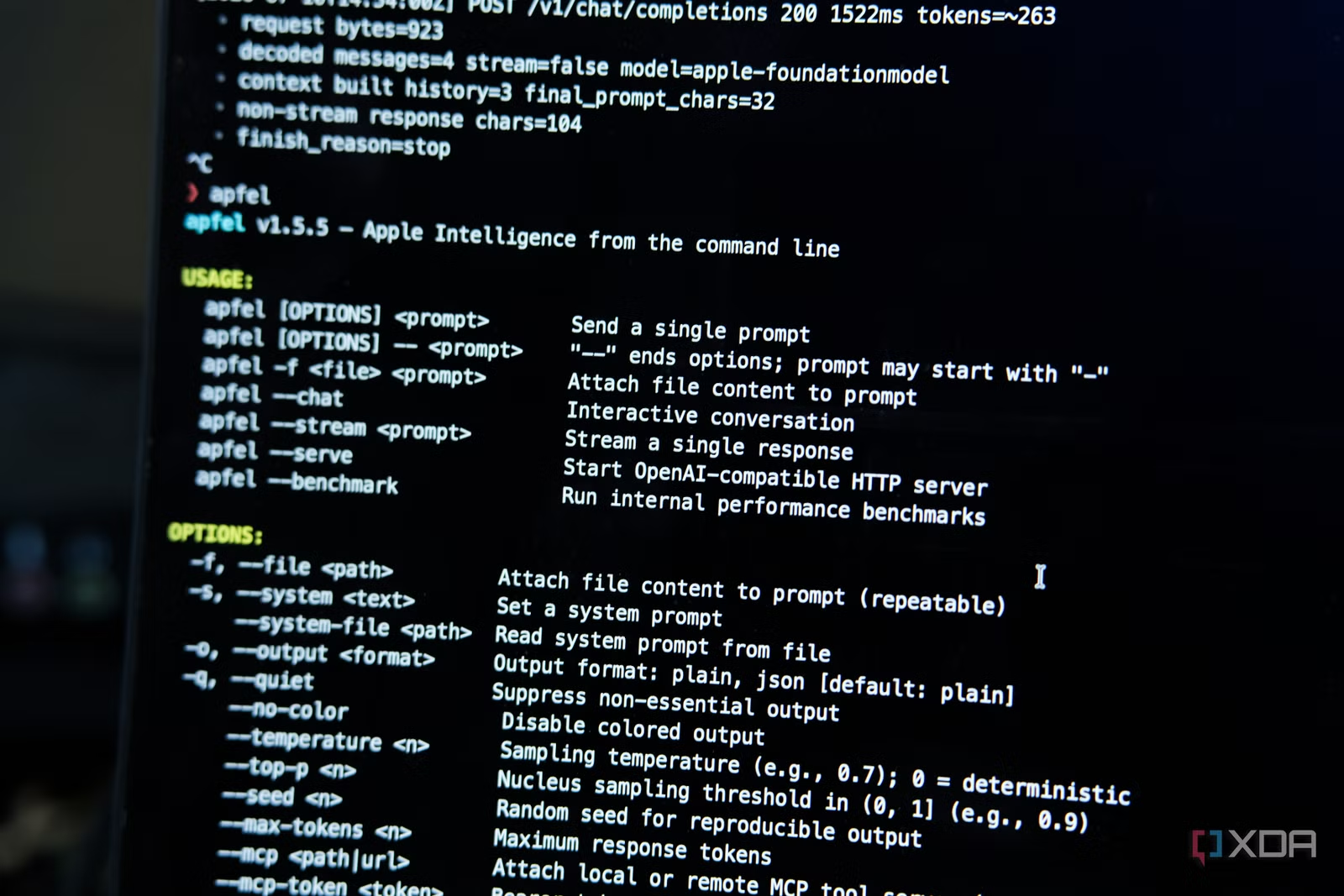
A tool called Apfel (open-source and free) exposes this model so you can actually use it. Once installed via Homebrew, it turns your Mac’s AI into a server that talks the same language as Ollama and OpenAI—meaning you can plug it into almost any automation tool.
One smart use: Home Assistant (a popular open-source smart home system). By connecting Apfel to Home Assistant, you can ask your smart home questions and get answers processed entirely on your Mac, with no internet, no cloud bill, and no data sent anywhere.
Think of it like this: instead of saying “Alexa, turn on the lights” to Amazon’s server, you ask your own Mac’s AI to answer questions about your home—and it all stays private.
What it’s actually good for (and what it’s not)
The Apple Foundation Model is small and fast, but has real limits. It works well for:
- Answering straightforward questions
- Text transformation and classification
- Short summaries and translations
- JSON restructuring
It struggles with math, recalling facts, long conversations, and complex coding.
The biggest constraint: a tiny 4,096-token context window. For comparison, modern cloud AI has windows in the hundreds of thousands. This means if you try to give it control of many smart home devices at once, it runs out of “memory” mid-conversation.
The XDA Developers article’s author disabled all control functions and left it in read-only mode—it can answer questions about your smart home but can’t actually switch devices on or off. That’s a trade-off to stay within its limits.
What this means for you
If you’re a Mac owner with Home Assistant already set up, you now have a private, free answer engine for your smart home that doesn’t phone home to Apple, Google, or Amazon.
If you don’t use Home Assistant, Apfel still gives you a terminal tool and chat mode to experiment with your Mac’s built-in AI for basic tasks.
This isn’t a replacement for ChatGPT or cloud assistants. But for privacy-conscious users and smart home hobbyists, it’s a neat trick hiding in plain sight.
What to do next
If you own an M1 Mac or newer and want to try this: install Homebrew (if you don’t have it), then run brew install apfel. Start the server with apfel --serve and point Home Assistant at localhost:11434. Full setup instructions are in Apfel’s GitHub documentation.
If you don’t use Home Assistant, try the command-line tool first to see what the model can do. It’s worth experimenting with—after all, it’s already on your Mac, and it’s free.

Leave a Reply