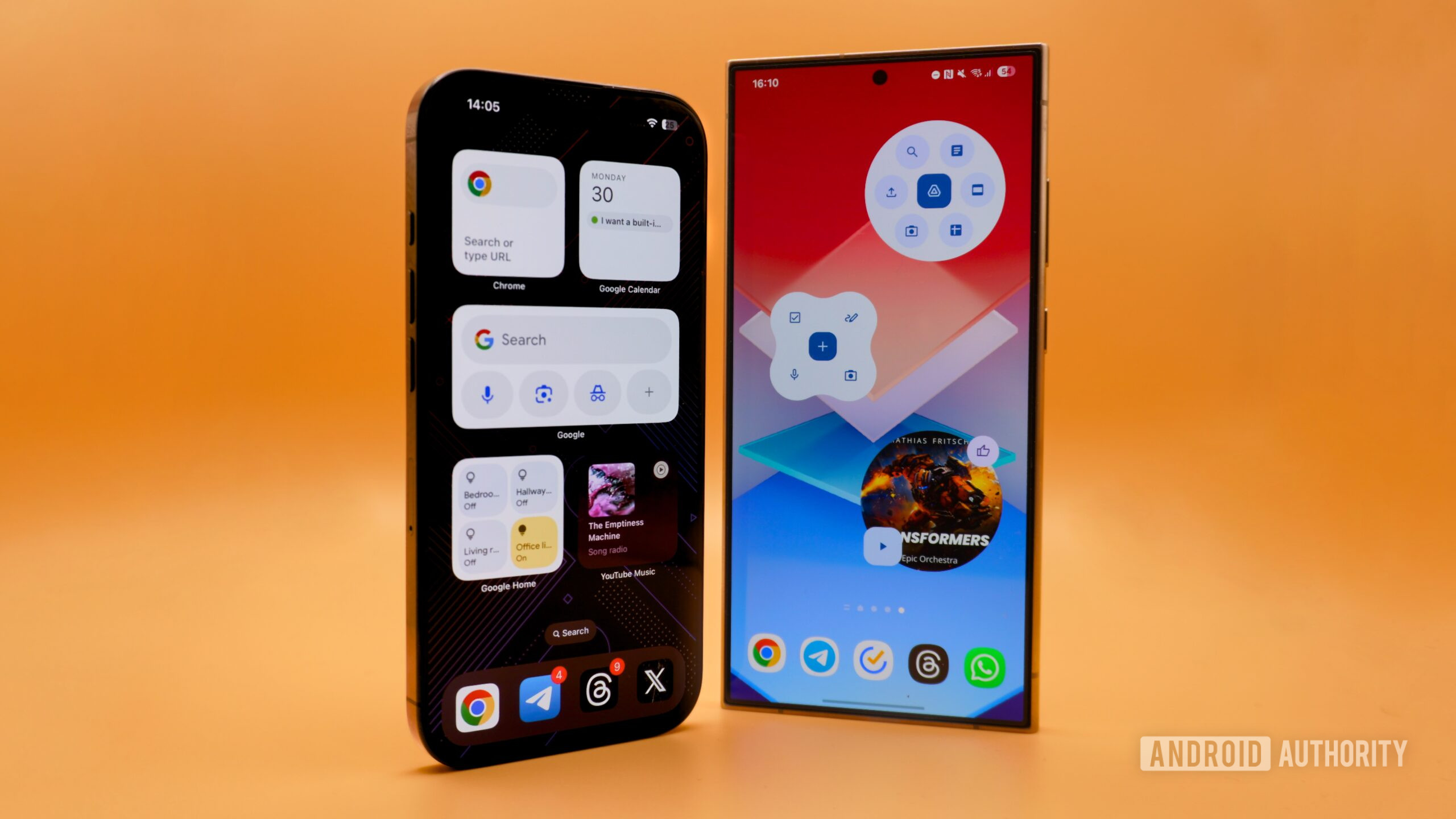
Apple’s next iPhone update, iOS 27, is finally giving iPhones something Android phones have had for years: really big widgets that take up your entire home screen.
If you’ve never heard of a widget, it’s a small app shortcut that lives on your home screen and shows you live information—like your calendar, weather, or stock prices—without you having to open the full app.
What’s new with iOS 27 extra large widgets?
iOS 27 (announced at Apple’s developer conference WWDC 2026) introduces 4×6 widgets. That’s tech speak for: widgets so big they can fill an entire pane of your iPhone home screen.
Right now, if you use an iPhone, your widgets are pretty small. Apple’s current system locks them into fixed sizes: 2×2, 2×4, or 4×4. The new 4×6 size is a major jump. It means apps like your calendar app or stock tracker can show way more information at a glance.
You can get these giant widgets two ways: drop a fresh 4×6 widget directly onto your home screen, or long-press an existing smaller widget and stretch it bigger.
Why is Apple copying Android now?
Android phones have had resizable widgets since 2012. You could stretch a widget to any size you wanted, and the app would adjust what it shows. Apple didn’t even introduce widgets at all until 2020—more than a decade later.
The gap matters because bigger widgets mean more useful information visible at once. If you track stocks, you can see more tickers. If you use a calendar, you can see more days without tapping.
For you as a Ghanaian iPhone user: This is a quality-of-life upgrade. If you rely on widgets to check data quickly—say, your mobile money app, a banking app, or a todo list—iOS 27 will let you see more on your home screen without opening the app fully. That saves time.
What should you know?
iOS 27 is still in “developer preview” right now, which means only tech developers can test it. The general public gets it in autumn 2026. Only a handful of Apple’s own apps (like Calendar and Stocks) currently support the 4×6 size, but third-party apps—including popular Ghanaian banking and fintech apps—will need updates from their makers to use the feature.
One thing iOS still doesn’t match Android on: true freedom. Android lets you resize widgets to exact custom dimensions. iOS 27 locks you into preset sizes. But it’s progress.
What to do now
If you own an iPhone, there’s nothing to do yet. When iOS 27 rolls out to the public in autumn 2026, you’ll get it as a free update. Keep an eye on your banking apps and financial tools—check if they support the new larger widgets when the update arrives. That way you can put more useful data right on your home screen.


Leave a Reply