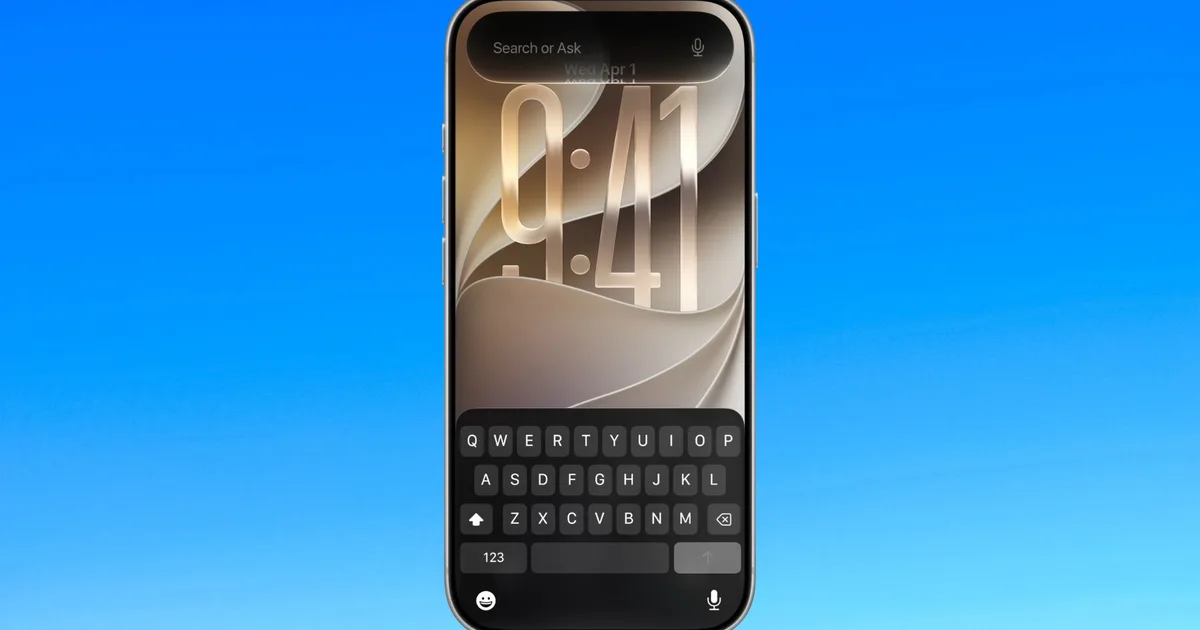
Apple just announced iOS 27, the next big iPhone update. The headline is an AI-powered Siri that can actually understand what you’re doing on your phone. But there’s plenty more—faster apps, smarter photos, better automation. Here’s what matters for you.
The big deal: Siri AI that actually works
For years, Siri has been the tech industry’s punchline. iOS 27 finally fixes that. Apple is rebuilding Siri with AI that can understand context—meaning it knows what’s on your screen, can pull up old emails or photos, and answer broader questions using web knowledge.
In real life, this means asking “Show me that photo from the beach trip last year” and Siri actually finding it, or asking Siri to send a message to a friend with your arrival time when you leave for work—without you having to manually jump between apps. Siri gets its own dedicated app too, so conversations feel more like chatting with ChatGPT than talking to a voice assistant.
There’s a catch: the rollout will be gradual. Apple says some Siri features won’t be available immediately when iOS 27 launches.
Speed: Apps launch 30% faster
Apple says app launches are up to 30% faster in iOS 27. This is especially good news if you have an older iPhone—iOS updates can live or die based on whether your old device still feels usable after installing the new version. The speed bump should help keep older models feeling responsive.
Photos: AI editing without the fuss
The Photos app is getting several AI upgrades. A tool called “Clean Up” is being upgraded to remove even larger unwanted objects from photos after you’ve taken them. Another, called “Spatial Reframing,” can improve photo composition after it has been taken. There’s also an image generation feature, though some image-generation features will have daily limits (more access if you pay for iCloud+).
Shortcuts: No coding needed
The Shortcuts app has always been powerful but too complicated for most people. iOS 27 changes that. Now you can describe what you want in plain English—”message my mum with my ETA when I leave work”—and the app builds the automation for you. Basic tasks work well; complex ones might still need manual tweaking.
Easier sharing with Android friends
If you use iCloud Shared Albums with Android or Windows friends, iOS 27 makes it easier. They can now join and contribute through iCloud.com without needing an iPhone.
Other useful stuff
Safari: Smarter tab management and a “Notify Me” feature that watches websites for changes (handy for tracking price drops or restocks).
Mail: Smarter contextual features that should help surface relevant information more efficiently.
Liquid Glass: Apple introduced Liquid Glass with iOS 26, and iOS 27 refines it with a new transparency slider, letting you adjust the effect without turning it off completely.
Phone app: Gets Call Context, which can surface relevant information from Mail or Messages during a call.
What you should do
iOS 27 will roll out to iPhones later this year. When it does, you’ll get a notification to update. Before installing, back up your phone—it’s a big update and you want your data safe. Check if your iPhone model is supported.
If you use Siri a lot, Shortcuts for automation, or spend time editing photos, you’ll notice the improvements. If you mostly use your phone to call, message, and browse, the speed bump is the main benefit.
Watch for: Apple’s full iOS 27 release date. Developers and beta testers can try it now.


Leave a Reply