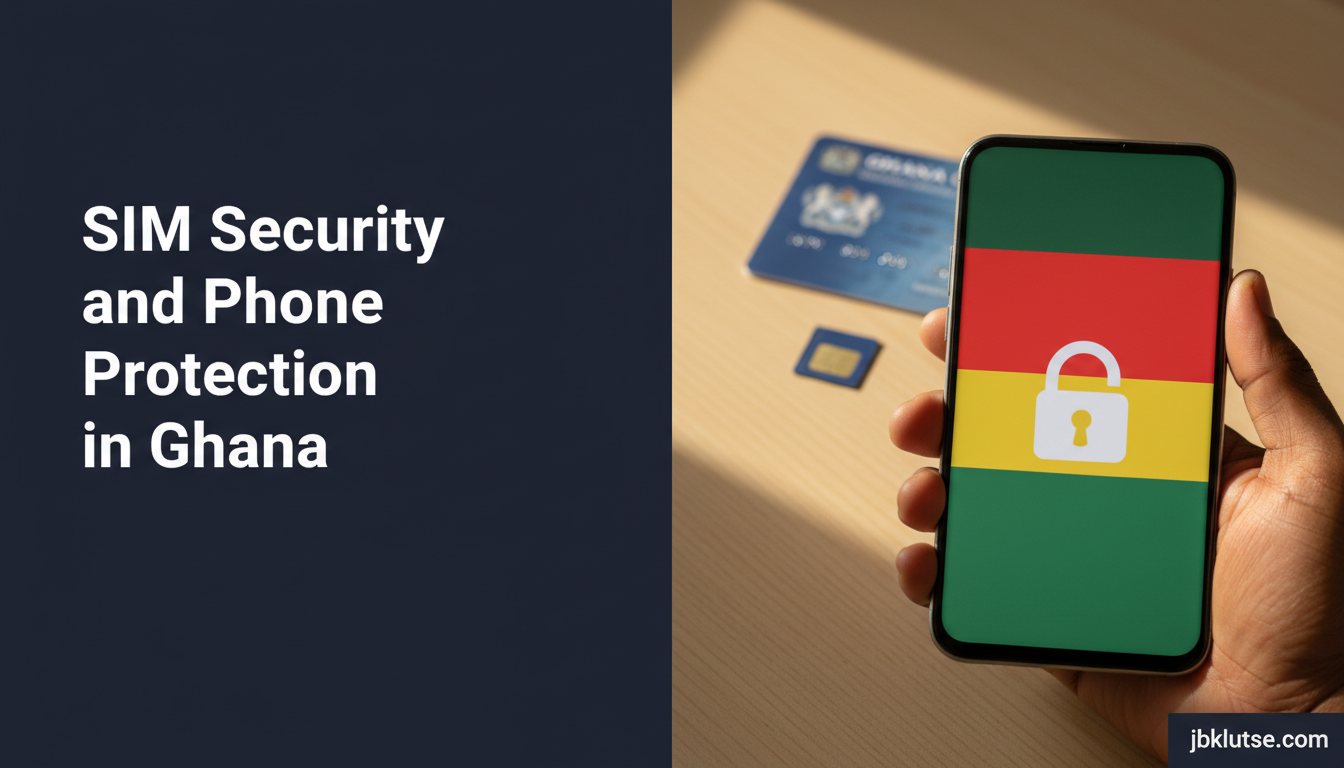
SIM swap Ghana attacks cost Ghanaians millions of cedis in 2025, draining bank accounts and MoMo wallets while victims slept. This guide explains how SIM swap fraud works, how the National Communications Authority and telcos are fighting it, what Ghana Card registration means for your protection, and the exact steps to lock down your phone and mobile number before, during, and after an attack. You’ll learn how to verify SIM ownership with MTN, Telecel, and AirtelTigo, why eSIM technology adds security, and the mistakes that make you an easy target in Accra, Kumasi, and beyond.
Table of Contents
- TL;DR
- What Is SIM Swap Fraud?
- Why SIM Security Matters in Ghana
- The SIM Security System in Ghana
- SIM Swap Prevention
- Ownership Verification
- Registration Compliance
- eSIM Security Advantages
- Ghana Card Requirement Explained
- Emergency Lockdown Process
- Telco SIM Security Comparison (April 2026)
- How to Protect Your SIM Card
- Step 1: Enable SIM PIN Lock
- Step 2: Register Your Telco Security PIN
- Step 3: Verify Your Registration Is Correct
- Step 4: Enable Transaction Alerts for All Accounts
- Step 5: Switch to eSIM If Your Phone Supports It
- Common SIM Security Mistakes and Fixes
- Mistake 1: Using Default SIM PIN
- Mistake 2: Sharing Ghana Card Scans on WhatsApp
- Mistake 3: Ignoring Signal Loss on Your Phone
- Mistake 4: Registering SIM at Unauthorised Retailers
- Mistake 5: Failing to Set Up Account Recovery Options
- What to Do If Your SIM Is Swapped
- Immediate Actions (First 10 Minutes)
- Next Steps (First 24 Hours)
- Follow-Up (First Week)
- How Telcos Are Fighting SIM Swap Fraud
- FAQs
- Related Reads
- Closing
- Sources
TL;DR
- SIM swap fraud in Ghana grew 220% in 2024-2025 per NCA data, with attackers using fake IDs to hijack mobile numbers
- Mandatory Ghana Card registration for SIM cards since July 2022 reduced fraud but loopholes remain
- Protect your SIM by enabling PIN lock, registering with your real Ghana Card, and setting up telco security PINs
- eSIM technology eliminates physical SIM theft and makes swap attacks harder to execute
- Lost phone? Call your telco in 10 minutes to block the SIM before attackers drain your MoMo
What Is SIM Swap Fraud?
SIM swap fraud happens when a criminal convinces your mobile network operator to transfer your phone number to a new SIM card they control. Once they own your number, they intercept your calls, SMS messages, and one-time passwords, giving them access to your bank accounts, mobile money wallets, email, and social media. In Ghana, attackers typically walk into a telco shop with a fake Ghana Card or bribe an insider to process the swap without your knowledge.
The National Communications Authority reported 12,400 confirmed SIM swap fraud cases in 2025, up from 5,600 in 2024. MTN Ghana alone blocked 8,700 suspicious swap requests in the first quarter of 2026. Victims lose an average of GHS 3,200 per attack (April 2026), with some high-profile cases exceeding GHS 50,000 when business accounts are drained.
Why SIM Security Matters in Ghana
Your mobile number is your digital identity in Ghana. It unlocks MoMo transfers on MTN, Telecel, and AirtelTigo, password resets for banks like Ecobank and Absa, loan approvals on Branch and FairMoney, and two-factor authentication for Gmail and WhatsApp. When attackers control your SIM, they control everything tied to that number.
The Ghana Card registration requirement introduced in July 2022 under the National Identification Authority’s mandate was designed to stop anonymous SIM ownership. Every active Sim Swap Ghana must now be registered with the owner’s Ghana Card number and biometric data. This closed some loopholes but created new ones. Criminals now forge Ghana Cards, bribe telco agents, or exploit weak verification processes at retail shops.
Ghana’s cybersecurity landscape is shifting as regulators tighten rules. The NCA fined MTN GHS 450,000 (April 2026) in January 2026 for failing to prevent insider-assisted SIM swaps at franchise locations. Telecel rolled out mandatory facial recognition checks at all service centres in March 2026. AirtelTigo now requires a security PIN for any SIM replacement request.
The SIM Security System in Ghana
Protecting your SIM and phone from attacks involves multiple layers. Each layer addresses a specific threat.
SIM Swap Prevention
Protecting your SIM from swap attacks starts with understanding how swaps happen. Criminals either pose as you at a telco shop with forged documents, bribe an insider to process a fraudulent swap, or exploit weak security at third-party retailers. Your defence includes registering your SIM with your real Ghana Card, enabling telco security PINs, and monitoring your account for unauthorised activity.
SIM swap fraud in Ghana works by convincing the telco that the attacker is the legitimate SIM owner. They present a fake ID, claim the SIM is lost or damaged, and request a replacement. Within minutes, your number transfers to their new SIM. Your phone loses signal, and you lose control of your accounts. The attack window is short but devastating.
Ownership Verification
Verifying your SIM ownership ensures your registration details match your Ghana Card at the telco’s database. MTN’s self-service portal lets you check your registration status by dialling *156# and selecting “SIM Registration Status.” Telecel users dial *110#. AirtelTigo users visit any retail shop with their Ghana Card to confirm registration. If your details are wrong or missing, update them immediately at an official service centre.
Registration Compliance
SIM card registration rules require every SIM to be linked to a Ghana Card. The NCA mandated full compliance by September 2022 and deactivated unregistered SIMs in phases through December 2022. If you bought a SIM after that date, the retailer must register it before activation using your Ghana Card and biometric fingerprint scan. Keep your registration receipt and Ghana Card together.
The NCA website lists the registration requirements:
– Valid Ghana Card issued by the National Identification Authority
– Biometric fingerprint scan at point of registration
– One SIM per person per network (MTN, Telecel, AirtelTigo) for personal use
– Corporate SIMs require business registration certificate
eSIM Security Advantages
Using eSIM for extra security eliminates the physical SIM card that thieves can steal or replace. eSIM technology stores your mobile number in your phone’s hardware. MTN Ghana launched eSIM support for iPhone and Samsung Galaxy users in October 2025. Telecel added eSIM in February 2026. AirtelTigo plans rollout by June 2026. To swap an eSIM, attackers need access to your phone and your telco account password, making the attack significantly harder.
Ghana Card Requirement Explained
Why telcos ask for Ghana Card ties back to the 2022 SIM Registration Regulations under the Electronic Communications Act. The NCA required all telcos to link every SIM to a Ghana Card to create an auditable ownership trail, reduce anonymous SIM usage, and give law enforcement a tool to trace criminals. The system works when registration data is accurate and telco agents verify IDs properly. When agents skip checks or accept fake cards, the system fails.
Emergency Lockdown Process
Lost phone lockdown steps must happen fast. Call your telco within 10 minutes to block your SIM before attackers exploit it. MTN customer care is 100, Telecel is 200, AirtelTigo is 111. You need your Ghana Card number, SIM serial number (if available), and answers to security questions. The telco will suspend your SIM immediately and issue a replacement at a service centre within 24 hours.
After blocking your SIM, reset passwords for your bank apps, MoMo PIN, email, and social media using a trusted device. Notify your bank’s fraud desk. MoMo fraud protection includes setting daily transfer limits and enabling transaction alerts, but those alerts stop working once your SIM is swapped.
Telco SIM Security Comparison (April 2026)
| Feature | MTN Ghana | Telecel Ghana | AirtelTigo |
|---|---|---|---|
| Ghana Card registration mandatory | Yes | Yes | Yes |
| Security PIN for SIM replacement | Yes (since Jan 2026) | Yes (since Mar 2026) | Yes (since Feb 2026) |
| Biometric check at service centre | Yes | Facial recognition required | Fingerprint required |
| eSIM support | iPhone, Samsung Galaxy | iPhone, Samsung Galaxy | Planned Jun 2026 |
| Online SIM block via app | Yes (MyMTN app) | No (call 200 only) | Yes (myAirtelTigo app) |
| Replacement SIM fee | GHS 2 (April 2026) | GHS 3 (April 2026) | GHS 2 (April 2026) |
| 24hr fraud hotline | 100 | 200 | 111 |
| Average swap fraud cases blocked per month (Q1 2026) | 2,900 | 1,100 | 650 |
Source: NCA Quarterly Telecom Report, Q1 2026; telco public disclosures
How to Protect Your SIM Card
Follow these steps to lock down your mobile number and phone.
Step 1: Enable SIM PIN Lock
Your SIM card has a four-digit PIN that locks it when your phone restarts. If someone steals your phone or pulls out your SIM, they cannot use it without the PIN. Enable it in your phone settings:
iPhone: Settings > Cellular > SIM PIN > toggle on, set a four-digit PIN
Android: Settings > Security > SIM card lock > toggle on, set a four-digit PIN
Never use 0000, 1234, or your birth year. Change the default PIN immediately. Three wrong attempts lock the SIM and require a PUK code from your telco.
Step 2: Register Your Telco Security PIN
MTN, Telecel, and AirtelTigo now require a security PIN separate from your SIM PIN. This PIN protects against SIM replacement requests at service centres. Register it by:
- MTN: Dial
*156#, select “Security PIN”, create a six-digit PIN - Telecel: Visit any Telecel shop with your Ghana Card, request security PIN setup
- AirtelTigo: Dial
*111#, select “Security”, create a six-digit PIN
You need this PIN plus your Ghana Card to request a SIM replacement. Without it, the telco should refuse service. Keep your PIN private and do not share it with anyone, including telco agents.
Step 3: Verify Your Registration Is Correct
Dial your telco’s verification code to confirm your Ghana Card is linked to your SIM:
- MTN:
*156#> “SIM Registration Status” - Telecel:
*110#> “Check Registration” - AirtelTigo: Visit a retail shop with your Ghana Card
If your details are wrong or show someone else’s name, your SIM was registered fraudulently. Go to an official service centre immediately with your Ghana Card to correct the record. Do not delay. Fraudulent registration is a red flag that someone may attempt a swap.
Step 4: Enable Transaction Alerts for All Accounts
Set up SMS and email alerts for every account tied to your phone number:
- Bank withdrawals and transfers
- MoMo debits and credits
- Password reset requests
- New device logins for email and social media
Alerts give you a 5 to 10 minute warning window when unusual activity happens. If you see an alert you did not authorise, assume your SIM is compromised and call your telco immediately to block it.
Step 5: Switch to eSIM If Your Phone Supports It
If you own an iPhone 11 or newer, Samsung Galaxy S21 or newer, or Google Pixel 5 or newer, request an eSIM from your telco. eSIM eliminates physical SIM theft. MTN charges GHS 10 (April 2026) for eSIM activation, Telecel charges GHS 15 (April 2026). The process takes 15 minutes at a service centre. You keep your existing number.
Backup your eSIM QR code and save it securely. If you lose your phone, you can reactivate the eSIM on a new device without visiting a shop.
Common SIM Security Mistakes and Fixes
Mistake 1: Using Default SIM PIN
Most SIM cards ship with a default PIN like 0000 or 1234. Attackers know these codes. If they steal your phone, they can use your SIM immediately.
Fix: Change your SIM PIN to a unique four-digit code the moment you activate your SIM. Store the code in a password manager, not in your Notes app.
Mistake 2: Sharing Ghana Card Scans on WhatsApp
Sending a photo of your Ghana Card to a landlord, loan app, or employer via WhatsApp creates a permanent copy that can be intercepted or misused. Forged SIM registrations often use stolen Ghana Card images.
Fix: Share Ghana Card details in person whenever possible. If you must send a copy digitally, watermark the image with “FOR [RECIPIENT NAME] ONLY” and the date. Delete the image after sending.
Mistake 3: Ignoring Signal Loss on Your Phone
When your SIM stops working suddenly with no warning, your first thought may be “network problem.” But sudden signal loss is the primary symptom of a SIM swap. Attackers swap your SIM first, then drain your accounts while you troubleshoot connectivity.
Fix: If your phone loses signal and you cannot make calls, assume a SIM swap until proven otherwise. Call your telco immediately from another phone or use Wi-Fi to contact them via their app. Do not wait hours to investigate.
Mistake 4: Registering SIM at Unauthorised Retailers
Some roadside vendors and unauthorised retailers claim they can register SIMs “faster” without queues. These shortcuts often skip proper Ghana Card verification or register the SIM under a different person’s details.
Fix: Register your SIM only at official telco service centres or authorised franchise locations listed on the telco’s website. MTN’s official shop locator is at mtn.com.gh, Telecel’s at telecelghana.com, AirtelTigo’s at airteltigo.com.gh.
Mistake 5: Failing to Set Up Account Recovery Options
If your SIM is swapped, you lose access to SMS-based account recovery for email, social media, and banking apps. Without backup recovery options, you cannot regain control.
Fix: Add a secondary email address and a trusted phone number to every critical account. Enable app-based two-factor authentication (Google Authenticator, Authy) instead of SMS codes wherever possible. Password and account security practices include using unique passwords and storing them in a password manager.
What to Do If Your SIM Is Swapped
Immediate Actions (First 10 Minutes)
- Call your telco from another phone or use Wi-Fi to contact them via their app. Report the SIM swap immediately. MTN fraud hotline: 100. Telecel: 200. AirtelTigo: 111.
- Request immediate SIM block and replacement. Provide your Ghana Card number and any security questions.
- Check your bank and MoMo balances using internet banking or a trusted device. If you see unauthorised transactions, call your bank’s fraud desk immediately. Ecobank: 0800 004 400. Absa: 0302 742 400. Access Bank: 0302 742 585.
Next Steps (First 24 Hours)
- File a police report at your local station or the Cybercrime Unit at CID Headquarters in Accra. You need the report for insurance claims and bank disputes.
- Visit your telco’s service centre with your Ghana Card to collect your replacement SIM.
- Reset passwords for all accounts tied to your phone number: bank apps, MoMo, email, social media, loan apps.
- Enable app-based two-factor authentication on all accounts. Stop using SMS codes.
- Notify your contacts that your number was compromised. Warn them not to respond to messages or calls from your number until you confirm you have control again.
Follow-Up (First Week)
- Monitor your bank statements for the next 30 days for delayed fraud charges.
- Request transaction records from your bank and MoMo provider to document losses.
- If your losses exceed GHS 1,000 (April 2026), consider hiring a lawyer to pursue civil action against the telco if negligence is proven.
- Update your registration details with your telco to ensure your Ghana Card and biometrics are correctly stored.
Online scams and phishing attacks often follow SIM swaps. Attackers use your phone number to send fake loan offers or investment schemes to your contacts. Warn your family and friends immediately.
How Telcos Are Fighting SIM Swap Fraud
MTN Ghana introduced mandatory security PINs for all SIM replacement requests in January 2026. Customers must create a six-digit PIN via the MyMTN app or USSD code before they can request a new SIM at a service centre. The PIN is separate from the phone unlock PIN and must be provided along with the Ghana Card.
Telecel Ghana rolled out facial recognition checks at all 156 service centres in March 2026. When a customer requests a SIM replacement, the agent captures a live photo and compares it to the Ghana Card photo stored in the National Identification Authority database. The process takes 60 seconds and reduces fraud from fake IDs.
AirtelTigo partnered with the NIA in February 2026 to cross-check Ghana Card serial numbers in real time during SIM replacement requests. If the Ghana Card number does not match the NIA’s active registry, the request is rejected. This blocks expired, stolen, or forged Ghana Cards.
The National Communications Authority fined telcos a total of GHS 1.2 million (April 2026) in 2025 for SIM swap fraud linked to poor verification processes. The NCA’s 2026 directive requires all telcos to implement biometric checks and security PINs by June 30, 2026, or face suspension of SIM issuance licenses.
FAQs
Can I use the same Ghana Card to register multiple SIMs?
Yes, but the NCA limits personal users to one SIM per network. You can have one MTN SIM, one Telecel SIM, and one AirtelTigo SIM registered to the same Ghana Card. Corporate users with business registration certificates can register multiple SIMs per network.
What happens if I lose my Ghana Card before registering my SIM?
You must replace your Ghana Card at an NIA office before you can register a SIM. Telcos will not accept expired cards, temporary slips, or photocopies. NIA card replacement takes 7 to 14 days and costs GHS 50 (April 2026). Visit nia.gov.gh for the nearest office.
Does eSIM completely stop SIM swap fraud?
eSIM makes swaps harder but not impossible. Attackers would need your phone, your telco account password, and sometimes biometric access to initiate an eSIM transfer. This is a higher bar than walking into a shop with a fake ID. eSIM is not a silver bullet but it closes the easiest attack vector.
How do I know if my telco agent is trustworthy during SIM registration?
Register your SIM only at official telco service centres or authorised franchises listed on the telco’s website. Ask for the agent’s name and ID badge. Take a photo of your registration receipt and the agent’s badge. If the agent refuses to show ID or rushes the process, leave and report the location to the telco’s fraud hotline.
Can I port my number to another telco to escape SIM swap risk?
Porting your number does not reset your security. Your Ghana Card registration and any vulnerabilities transfer with the number. If you port from MTN to Telecel, update your security PIN and registration details with Telecel immediately. Porting takes 24 to 72 hours and costs GHS 5 (April 2026).
What is a PUK code and when do I need it?
A PUK (Personal Unblocking Key) is an eight-digit code that unlocks your SIM after three wrong PIN attempts. Your telco provides the PUK when you activate your SIM. If you enter the wrong PUK ten times, the SIM is permanently blocked and you must get a replacement. Store your PUK in a password manager, not in your phone.
Related Reads
Zoom out:
– Cybersecurity in Ghana: Complete Authority Hub
Deep-dives within this hub:
– Lost Phone: Step-by-Step Lockdown Guide
– Protecting Your SIM from Swap Attacks
– SIM Swap Fraud in Ghana: How It Works
– Cross-Check Your SIM Is Really Yours
– SIM Card Registration Rules in Ghana
– Using eSIM for Extra Security
– Why Telcos Ask for Ghana Card for SIM
Related hubs:
– MoMo Fraud Protection: Consumer Security Guide for Ghana
– Privacy and Data Protection in Ghana
Closing
SIM swap fraud is preventable when you lock down your security, verify your registration, and act fast when you lose signal. Follow @jbklutsemedia on X for real-time alerts on telco security updates, NCA policy changes, and fraud warnings across Ghana.
Sources
- National Communications Authority Quarterly Telecom Report Q1 2026, published March 2026
- MTN Ghana SIM Swap Prevention Policy, effective January 2026, available at mtn.com.gh/security
- Telecel Ghana Facial Recognition Rollout Press Release, March 5, 2026
- AirtelTigo Ghana NIA Partnership Announcement, February 12, 2026
- SIM Registration Regulations 2022, Electronic Communications Act 2008 (Act 775)
- National Identification Authority Ghana Card Replacement Guidelines, updated January 2026, available at nia.gov.gh